Configure an Elasticsearch
- Navigate to the directory <avx_installed_directory>/conf
-
Open the configuration file appviewx.conf by entering the following
command:
vi appviewx.conf - Press the Insert key to switch to the insert mode, then set the value for the
ENABLE field under ELASTIC section as follows:
- ENABLE=TRUE to enable elasticsearch
- ENABLE=FALSE to disable elasticsearch
-
If the elastic search is enabled in the appviewx conf file, make sure
that the following details are updated:
- HOSTS: The input should be in the following format: <IP1>:<PORT>, <IP2>:<PORT>, <IP3>:<PORT>
- TRANSPORT_PORT: By default, the port 5550 is used for configuration. You can change the port if necessary. Only one port should be provided to use as the transport port for elastic configured nodes.
-
ELASTIC_HTTPS:Set the value as follows:
- ELASTIC_HTTPS=FALSE to disable secured communication
- ELASTIC_HTTPS=TRUE to enable secured communication
-
If the ELASTIC_HTTPS field in the appviewx.conf file is set to
TRUE, update the following fields:
- EXTERNAL_CERTIFICATE=TRUE to use the external certificate for secured communication.
- EXTERNAL_CERTIFICATE=FALSE to use the self-signed certificate for secured communication.
-
When you are done editing the fields, press the ESC key, then type
:wqto save and quit the file.$ appviewx --conf-sync -
Initialize the configuration change by entering the following commands:
appviewx --initialize all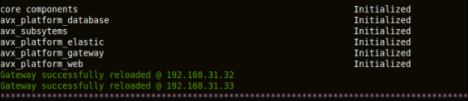
appviewx --restart avx_platform_elastic
The following plugins are associated with elasticsearch:- avx_insight_subsystem_adc
- avx_insight_statistics_bot
Note: These plugins will start only when the elasticsearch is up and running. The plugin avx_insight_statistics_bot will be enabled by default and it will initiate the statistics collection. If you want to collect the statistics through the plugin avx_insight_vendor, then you must disable the plugin avx_insight_statistics_bot and enable avx_insight_vendor.