Upgrade a Plugin to a Newer Version
The following is an example of how to upgrade an avx_subsystem_queue plugin from v1.0.0 to v1.0.3
-
Check the status of the plugins that are currently running by entering the
following command:
appviewx --status plugins avx_platform_queue
-
Download the plugins you want to install in the following location with the
file name Plugins.tar.gz.
<user_home_directory>
-
Initiate the plugin upgrade process by entering the following command:
$ appviewx --upgrade plugins
                        <user_home_directory>/Plugins.tar.gz
The plugin upgrade starts.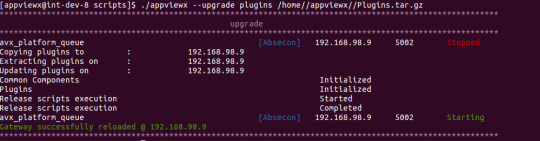
-
After the upgrade process is complete, check the status of the plugins by
entering the following command:
appviewx --status plugins
                        avx_platform_queue
-
Perform a gateway refresh by entering the following command:
$ appviewx
                        --gwrefresh