Enable a VIP for Gateway Access
- Navigate to the directory <avx_installed_path>/conf
-
Go to the appviewx.conf file using the following command to add the new
plugin to be installed:
$ vi appviewx.conf -
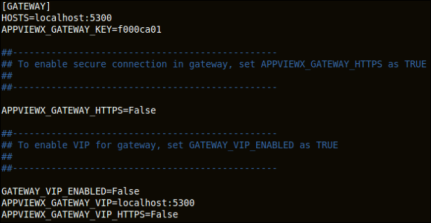
Update GATEWAY_VIP_ENABLED as TRUE and update the external VIP
details under APPVIEWX_GATEWAY_VIP and APPVIEWX_GATEWAY_VIP_HTTPS =
True if SSL is enabled for VIP.
-
When you are done editing the fields, press the Esc key, then type
:wqto save and quit the file.$ appviewx --conf-sync -
Initialize the VIP configuration change by executing the following commands:
$ appviewx --initialize all
 $ appviewx --restart all