Enabling a User
-
To access the navigation pane, in the top-left corner of the screen, hover the
mouse pointer over the
 icon.
icon.
-
From the menu displayed, click Account >
User.
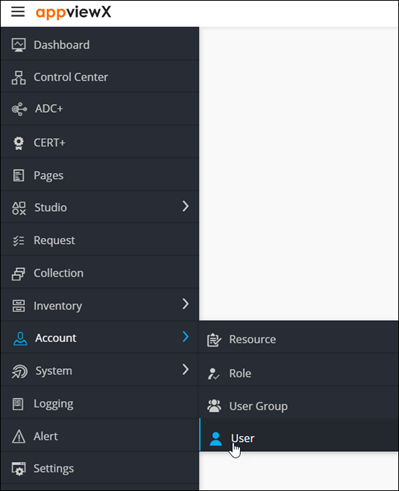
The User page is displayed.
-
From the User page, select the check box against the user you want to
enable.

-
From the top right corner of the screen, click
 .
.
-
In the Confirmation dialog box, click Yes.
The selected user is enabled.