Setting up the landing page when publishing/sharing
- Open a Published page.
-
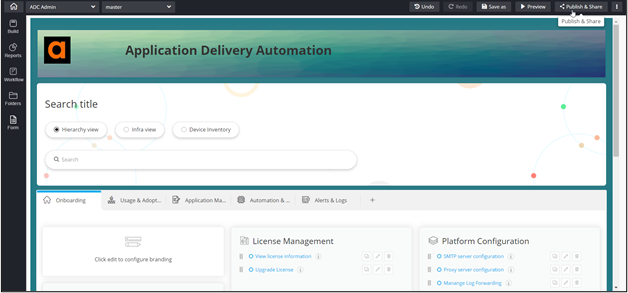
From the top right corner of the screen, click Publish
& Share.
-
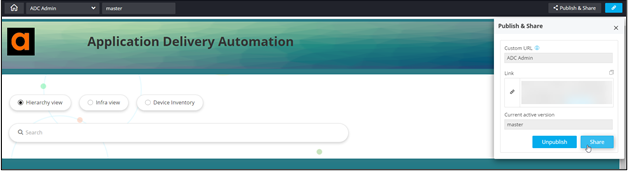
In the Publish & Share window, click
Share.
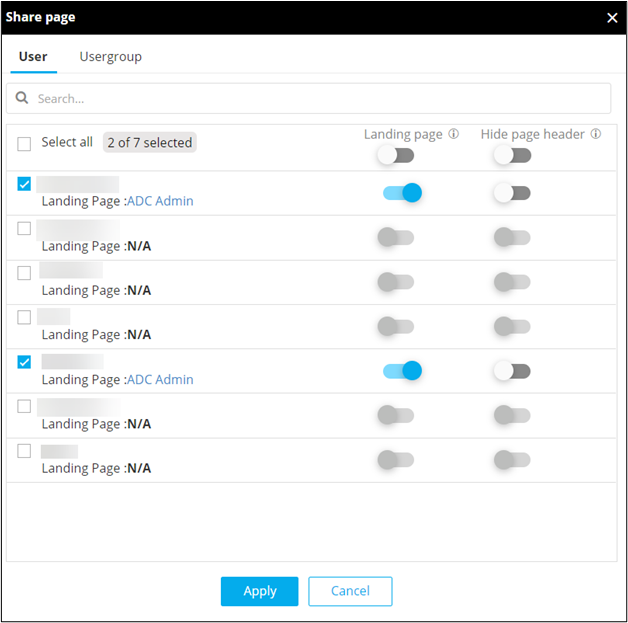
- In the Share page window, select the user(s) for which the current page is to be set as the Landing page.
-
To set the current page as the landing page for selected user(s), in the
Share page window, under Landing
page, turn on the toggle for the selected user(s).
-
To implement the selected settings, click Apply.
Note: The current active version of the page will be set as the Landing page for the selected users.