Delete F5 LTM VIP - Basic
This workflow deletes VIP along with its associated objects (Pool, Monitor, IRule, Profiles, Persistence, Snatpool, Policy) by searching the VIP using the Destination IP and Port across Managed Devices in AppViewX.
To run this workflow,
-
Go to
 Menu > Request > View/Run.
The Workflow Catalog page appears.
Menu > Request > View/Run.
The Workflow Catalog page appears.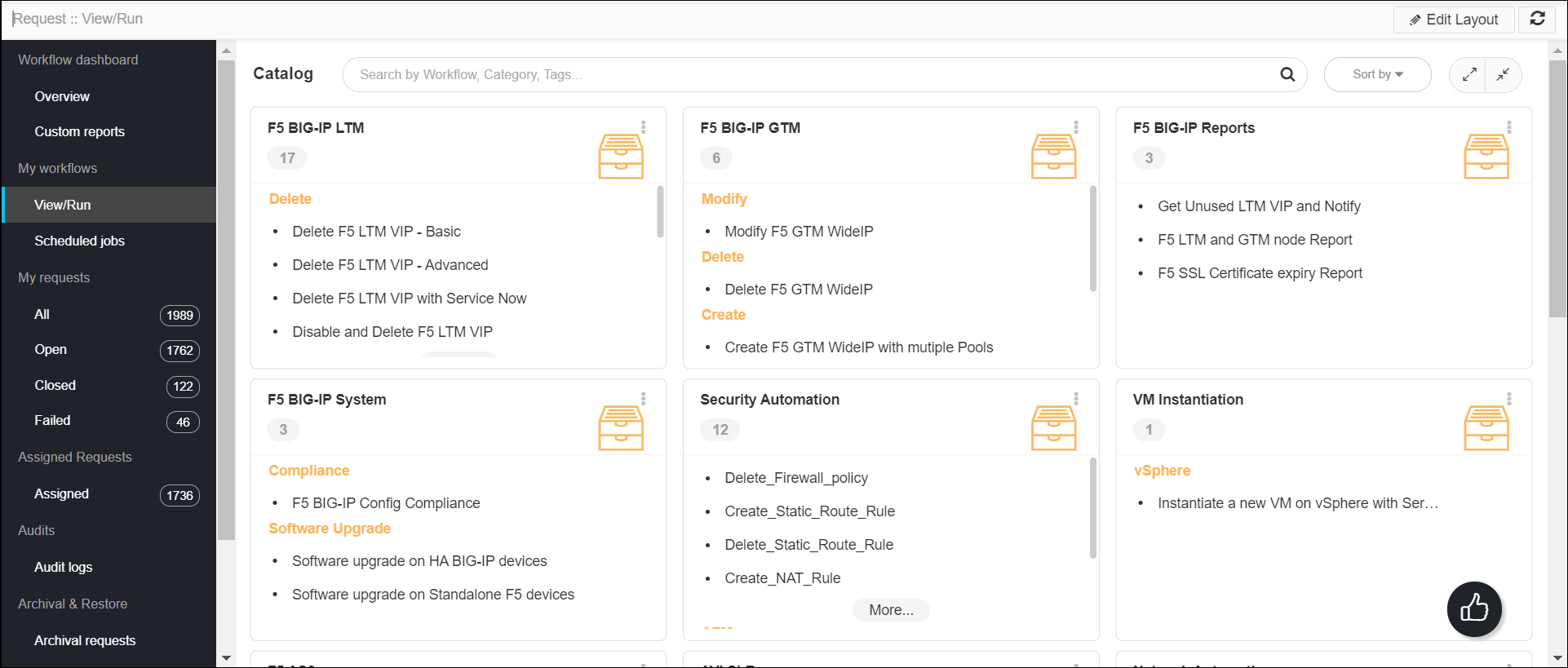
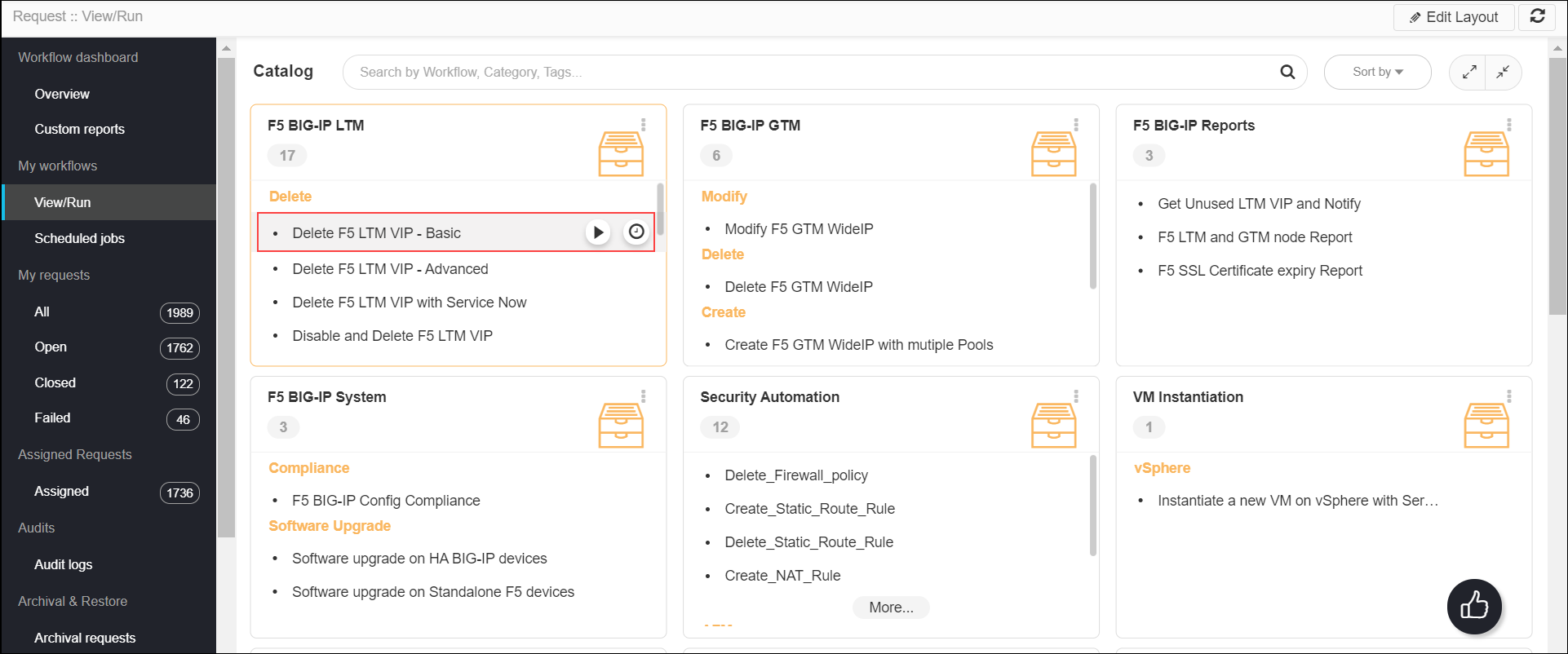
- In the Workflow Catalog page, hover over the Delete F5 LTM VIP - Basic
workflow.
The Run and Schedule buttons are shown.
- Click the Run
 button.
The Form Input page opens:
button.
The Form Input page opens: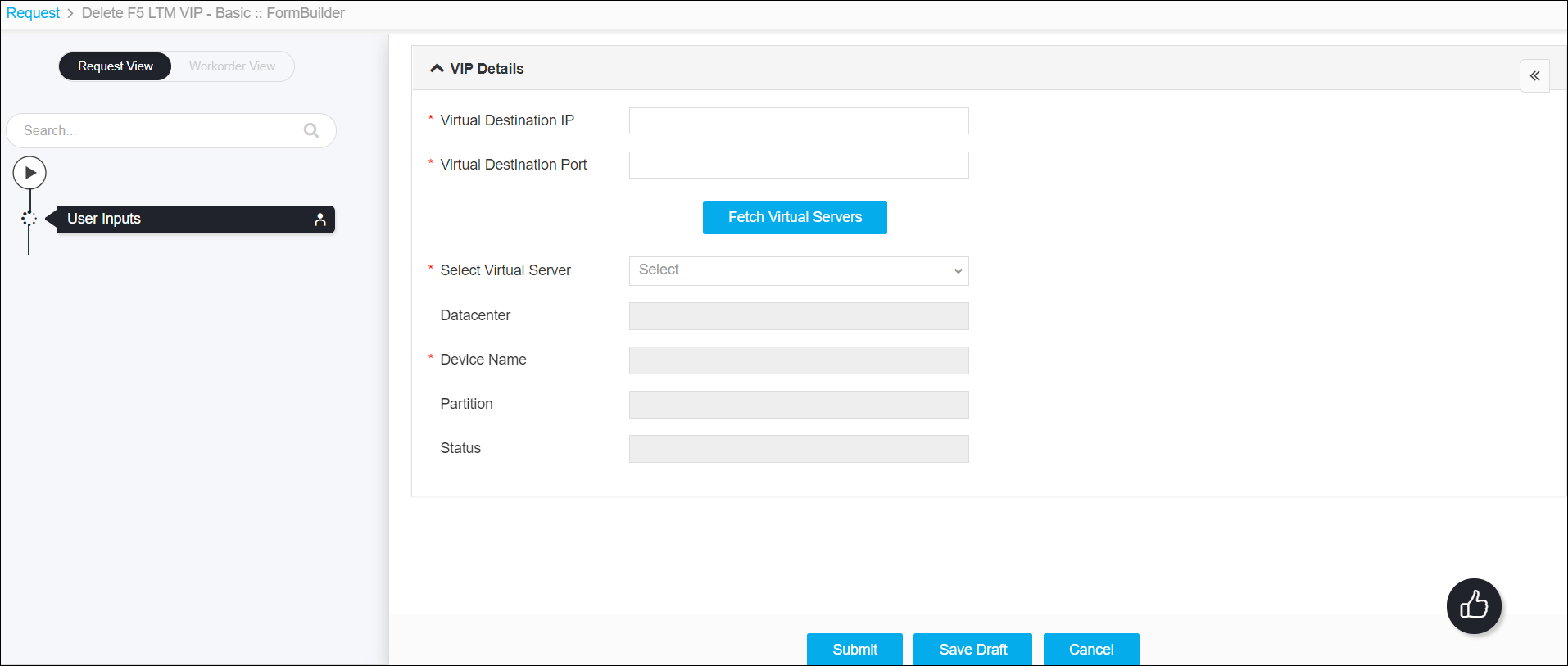
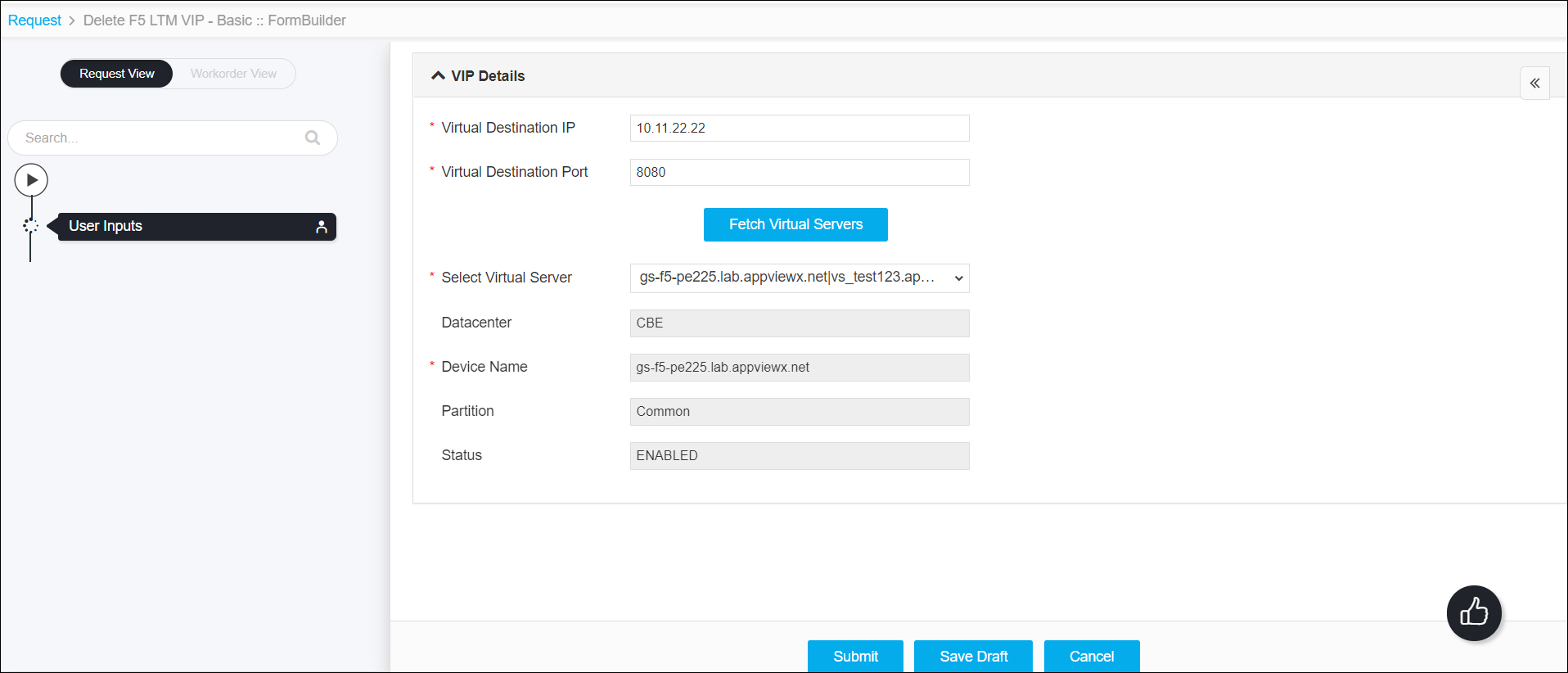
- Enter the Virtual Destination IP and Virtual Destination Port, and
then click the Fetch Virtual Servers button.
The Virtual Server details are fetched for the given Virtual Destination IP and Virtual Destination Port.
-
Click the Submit button.
The Confirmation popup opens.Note:
- If you want to save this form to edit it later, click the Save Draft button, and then click Ok in the Confirmation popup window. The form will be saved as Open request under Request > My Request.
- If you want to cancel this form, click the Cancel button.
-
Click Ok to submit the form.
The validation starts automatically and reaches the Review stage.Note:
- If there is any failure at this stage, start a new request by providing the correct data.
- Alternatively, select the failed request and clone it. Update the correct input data in the form input, and submit the workflow again.
-
Review the input data under the implementation, rollback, and
postvalidation tabs:
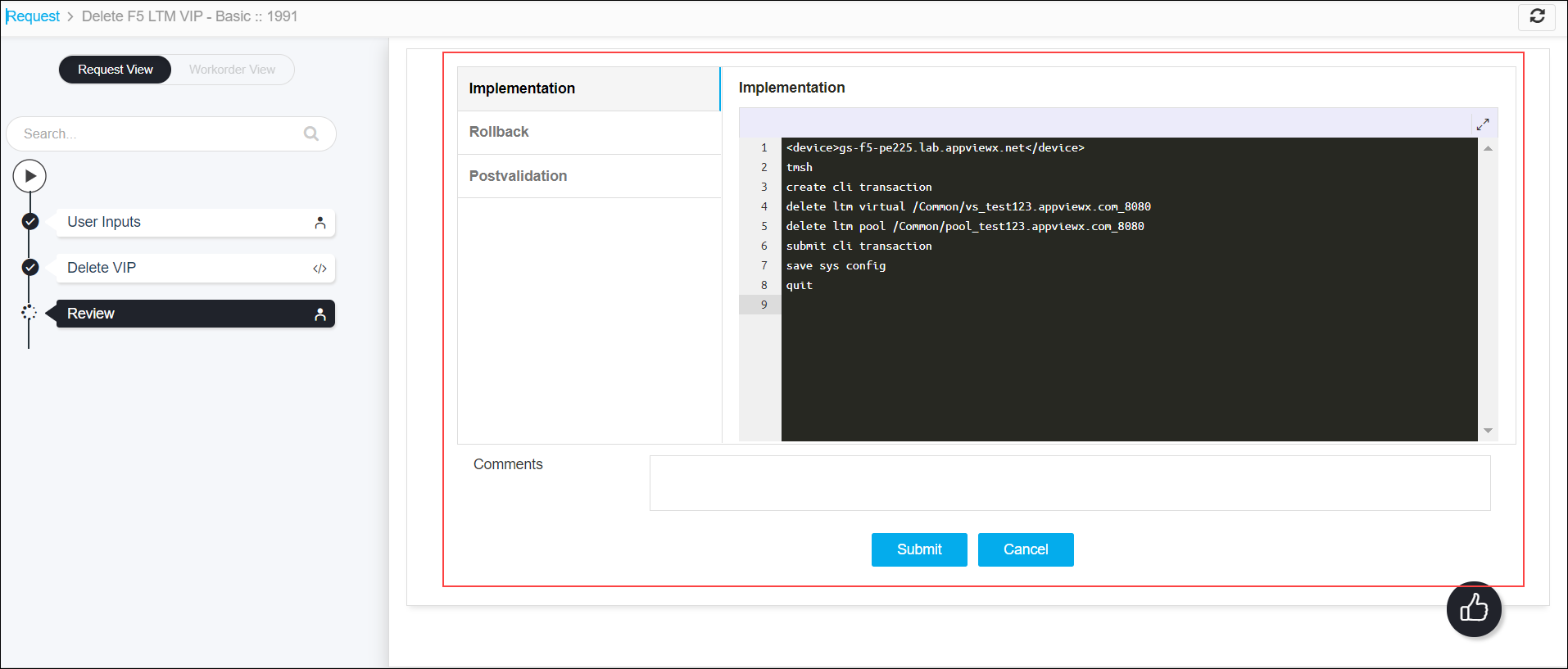
-
(Optional) If you need to update any data at this stage, you can do so by clicking the
right side of the mouse on the data and selecting the desired option.
-
After the review, click the Submit button.
The Confirmation popup opens.Note: To stop running the workflow creation, click Cancel.
-
Click Ok to continue the workflow creation.
It takes a while to complete the request.
-
The workflow is created and the email triggered to the configured email IDs.
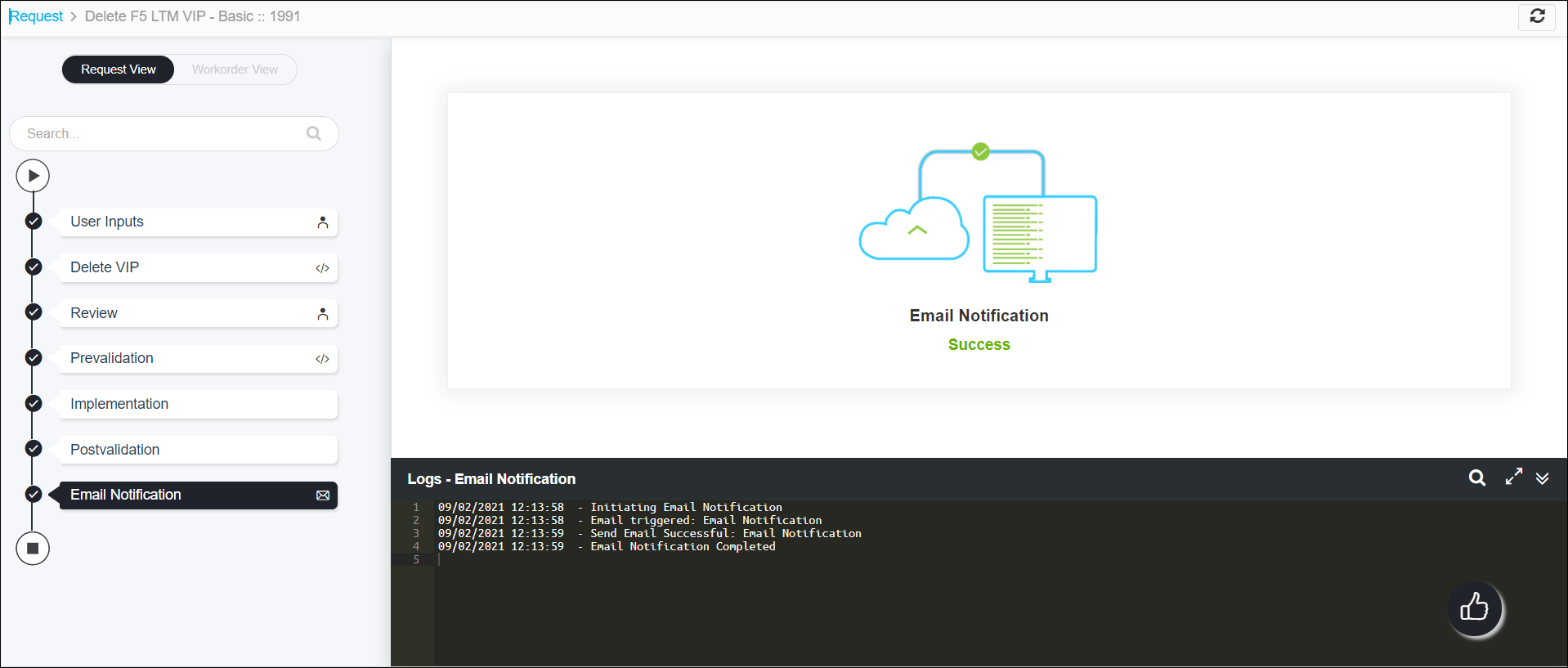
Note: The stages of the request are shown in the left side of the screen. To view a particular stage of the request, click the respective stage.