For standalone accounts where one of the associated services is not EC2
-
After you have upgraded the product from a version < 20.3 FP8 to 22.1 FP1,
from the top left corner of the AppViewX user interface, click
 .
.
-
From the menu displayed, select Inventory > Device.
The Device :: ADC page is displayed.
-
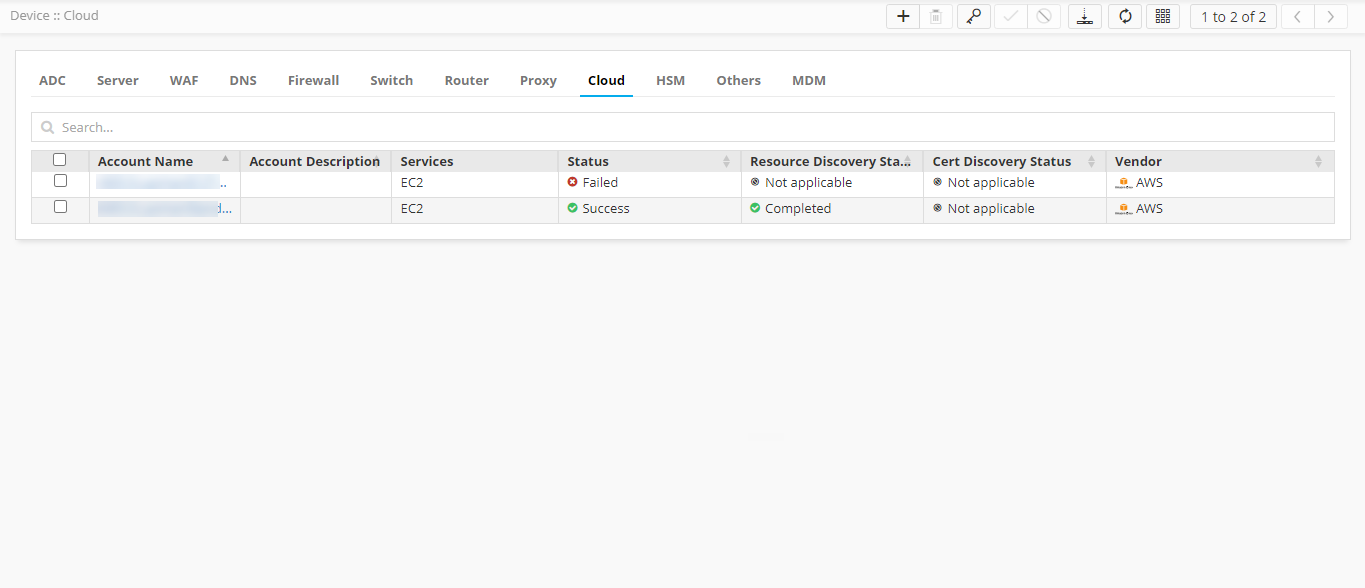
From the Device :: ADC page, select Cloud.
The Device :: Cloud page is displayed.
-
From the device accounts listed under Account Name, select the migrated
standalone accounts (as required).
Troubleshooting: If you cannot see the migrated standalone accounts listed, request the super user to grant you the required permissions. Only superusers and users authorized by the superuser can view these migrated accounts in the list.
-
From the top-right corner of the Device :: Coud page, click the
 icon.
This step is mandatory to upgrade the data recorded for the older devices to the latest format followed in 22.1 FP1.
icon.
This step is mandatory to upgrade the data recorded for the older devices to the latest format followed in 22.1 FP1.