Saving Forms to Custom Folder
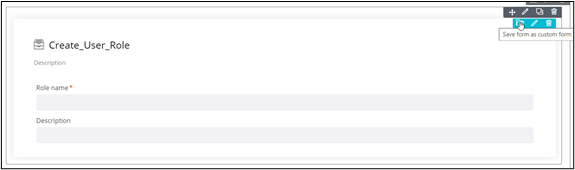
To save a form in the custom folder:
-
Hover your mouse over the form and from the top right corner, click
 .
.
-
In the Confirmation pop-up window, click Yes.
The form is added to the Custom folder in the Inventory section.
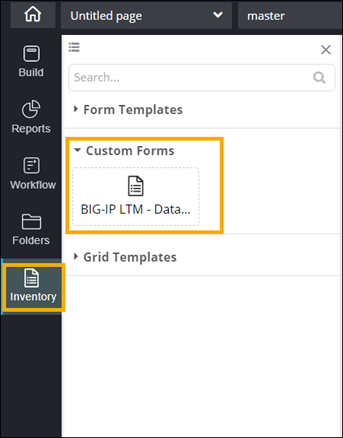
- To reuse a custom form, simply drag and drop the required form from the Custom folder into the canvas.