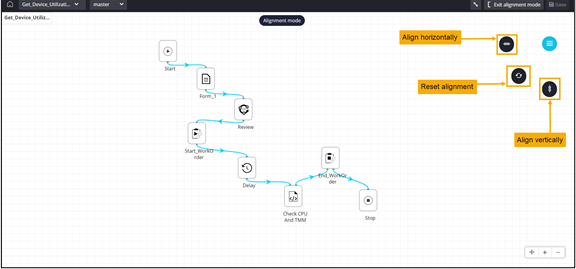
Workflow Alignment 
- Go to the Workflow page.
- Open a workflow.
-
To see alignment options, from the right upper corner of the screen,
click
 .
.
-
From the options displayed, select Auto align tasks.
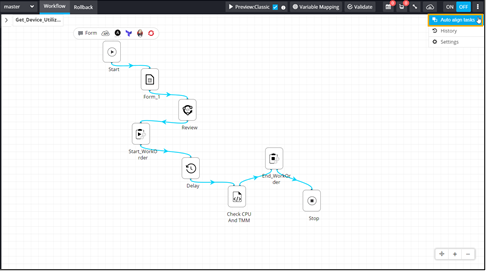
- Click Yes in the Confirmation pop-up window.
-
Select the alignment for the workflow from the options available.