Untar the appviewx.tar.gz package: tar -xvzf
appviewx.tar.gz
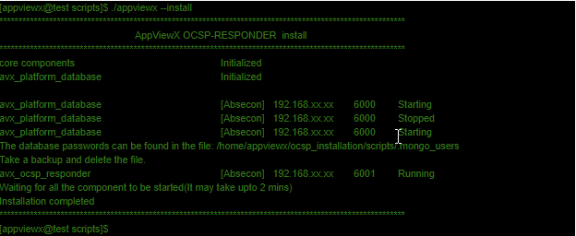
Go to appviewx/scripts directory and execute the following command to install:
./appviewx --install
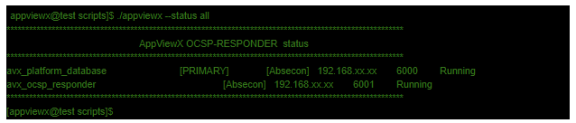
To check the status of all components, enter the following command: cd <home
directory>/appviewx/scripts ./appviewx --status all [appviewx@test
scripts]$
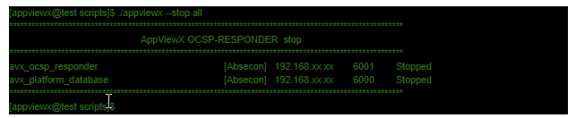
To stop the components, go to following script directory: cd <home
directory>/appviewx/scripts ./appviewx --stop all
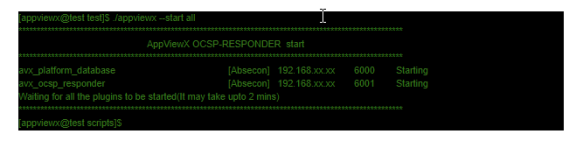
To start the components, go to following script directory: cd <home
directory>/appviewx/scripts ./appviewx --start all
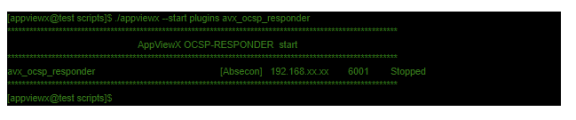
To start the plugins, go to following script directory: cd <home
directory>/appviewx/scripts ./appviewx --start
pluginsavx_ocsp_responder
To stop plugins, navigate to following script directory: cd <home
directory>/appviewx/scripts ./appviewx --stop plugins
avx_ocsp_responder
To stop database, navigate to following script directory: cd <home
directory>/appviewx/scripts ./appviewx --stop avx_platform_database
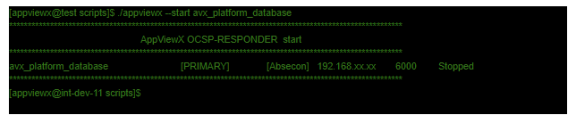
To start database, navigate to following script directory: cd <home
directory>/appviewx/scripts ./appviewx --start avx_platform_database