Scheduling an OOB Workflow
-
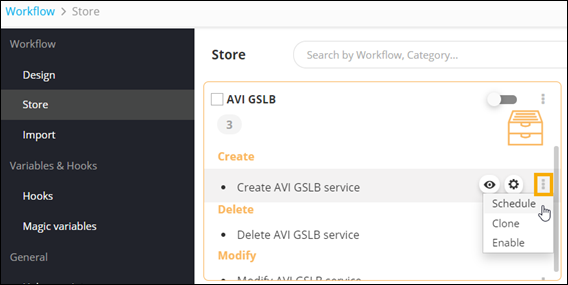
On the Workflow > Store
page, hover your mouse over the workflow you want to schedule, and click
 .
.
-
From the options available, click Schedule.
-
Enter the information in the scheduler window.
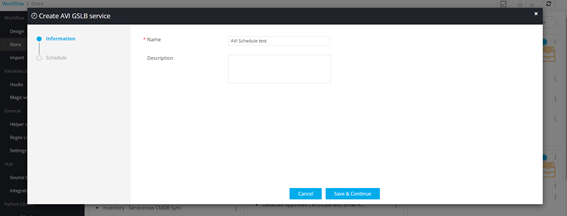
- Click Save & Continue.
-
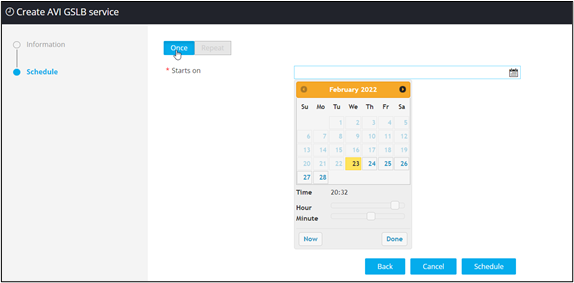
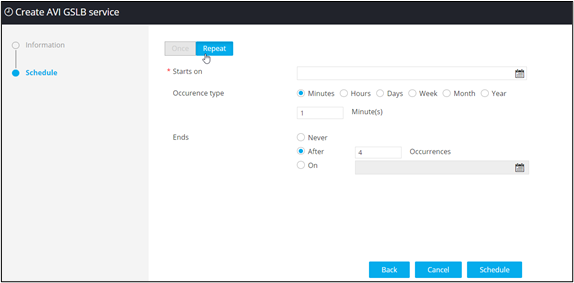
Assign the time for scheduling the workflow:
- Once - Select this option if you want to schedule
the workflow to be triggered only once.
- Repeat - Select this option to schedule the
workflow to trigger daily, weekly, monthly, or yearly.
- Once - Select this option if you want to schedule
the workflow to be triggered only once.
- Click Schedule.
