Decommissioning Domains
To decommission a domain:
-
Go to DDI+ > Self Service >
Domain Lifecycle, and then click
Decommissioning Domains.
The workflow execution page is displayed with the workflow inputs requested at the first stage.
-
In the Requester Details section, in the Team DL field, enter the
email addresses to which the domain registration email should be sent. Multiple
email addresses must be entered as comma-separated values.
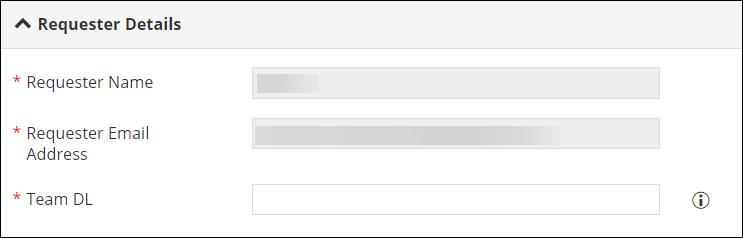 Note: The field information for the first two fields will be fetched automatically from the logged in user information.
 -
In the Domain Decommissioning section, enter or select the required
field information.
The following table describes the field information in this section:
Field Description *Search Condition Select from the following search conditions: - Starts With: Domains search result will list domains that start with the value provided in the next field.
- Contains: Domains search result will list domains that start with the value provided in the next field.
- Ends With: Domains search result will list domains that start with the value provided in the next field.
*Search Domain Name Enter the search text/keywords for searching the domains. *: Mandatory fields -
Click Fetch Domains.
The values in the next field in the Domain Decommissioning section will be populated based on the information provided in the previous fields.
-
Enter or select the required field information in the remaining fields.
The following table describes the field information required here:
Field Description *Select Domain Select the Domain from the options available in the dropdown. Note: The values in this field will be fetched based on the domain name search results.*Vendor The vendor name is fetched automatically based on the domain name selection *Do you want to remove associated DNS Records? Select if you want to delete the DNS records associated with the selected domain name and vendor. *: Mandatory fields -
Click Submit.
An approval request is sent to the approver to approve or reject the domain decommissioning. Once the request is approved, the selected domain is decommissioned.