Domain Vulnerability
To create a domain vulnerability:
-
Go to DDI+ > Self Service >
Domain Lifecycle, and then click Domain
Vulnerability.
The workflow execution page is displayed with the workflow inputs requested at the first stage.
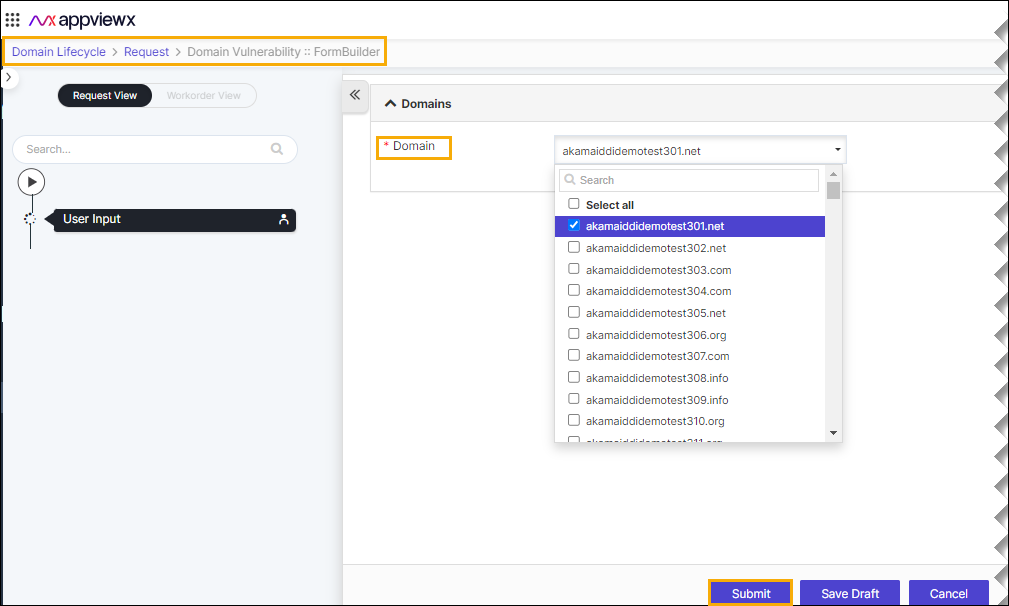
- In the Domains section, in the Domain field, select the desired domain vulnerability that you want submit.
-
Click Submit.
The pop-up message appears as
Are you sure you want to Submit?
-
Click Ok.
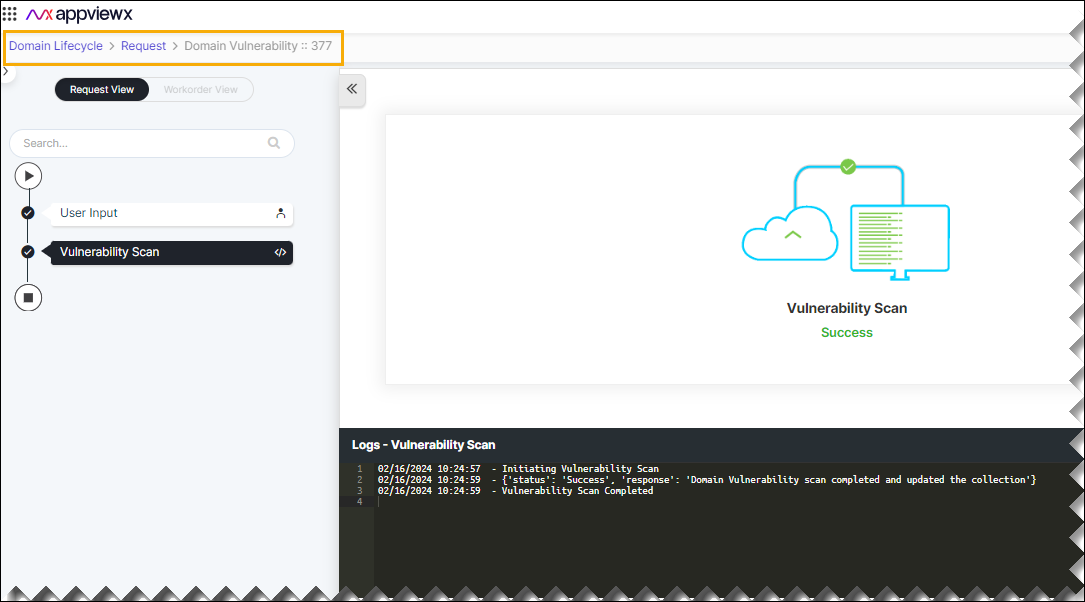
The pop-up message appears as
Request ID 123 Submitted Successfully.
- For more details on the domain vulnerability, go to the Domain Vulnerability Insights dashboard.