View Status Summary
-
Click
 and select AppVision > Application.
The Application screen opens with the Inframap tab selected by default.
and select AppVision > Application.
The Application screen opens with the Inframap tab selected by default. - Open the application whose status summary wants to view.
-
On the workspace that opens, click
 .
The status summary appears at the right side of the screen as shown below:
.
The status summary appears at the right side of the screen as shown below: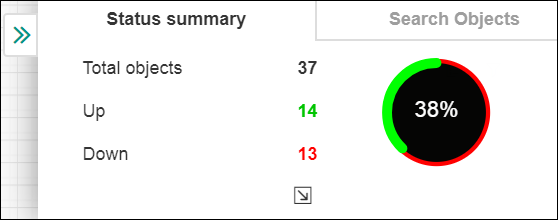
-
You can click
 to
view the device and object details. Also, you can click on the Search Objects tab
to search for any device objects of your choice.
to
view the device and object details. Also, you can click on the Search Objects tab
to search for any device objects of your choice.