Jump to main content
Device
-
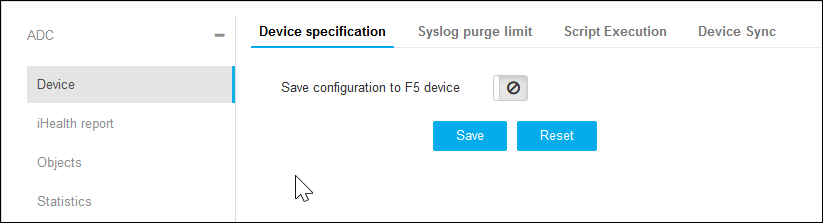
Click Device under the ADC menu.
-
On the Device details page, Device Specification is selected by default
or click Device Specification on the top.
-
Click the disable icon to enable Save Configuration to the device.
-
Click Save.
-
Click Syslog Purge Limit on the top.
-
Enter the Syslog limit per device.
-
Click Save.
-
Click Script Execution on the top.
-
Enter the time out in minutes.
-
Click Save.
-
Click Device Sync on the top.
-
Select the time for Config Fetch and HA-Sync from the respective
drop-down.
-
Click Save.