Modifying a Role
-
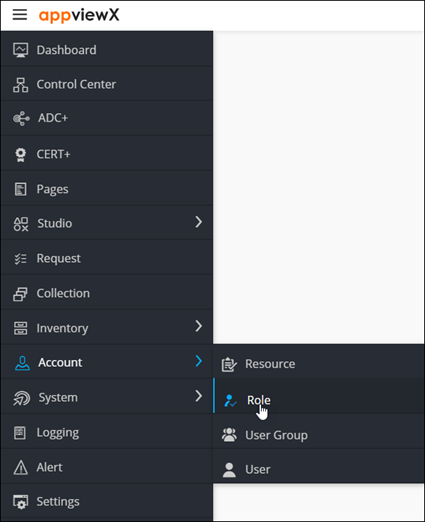
To access the navigation pane, in the top-left corner of the screen, hover the
mouse pointer over the
 icon.
icon.
-
From the menu displayed, click Account >
Role.
The Role page is displayed.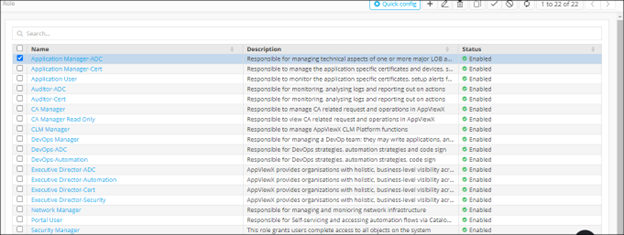
-
From the top-right corner of the screen, click Quick Config.
The RBAC Journey :: Authentication page is displayed.
-
Navigate to the Role stage as part of the wizard flow to add roles into
AppViewX.
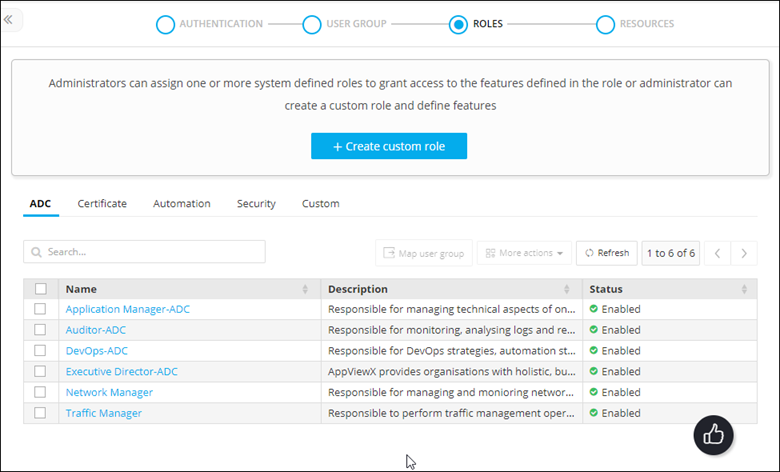
- Click the role name you want to modify.
- The Edit role action pane is displayed for the selected role.
- Modify the details in the Information and Authorized functions sections as required.
-
Click Save.
Note: Out of the box role functions can’t be edited. Only custom role functions can be edited.