Configuring RBAC for Helper Scripts
To restrict a user from modifying Helper Scripts in the Workflow Studio:
-
From the upper left corner of the screen, click
 .
.
- From the menu displayed, select Account > Role.
- Select the role for which you want to enable access, for example, admin.
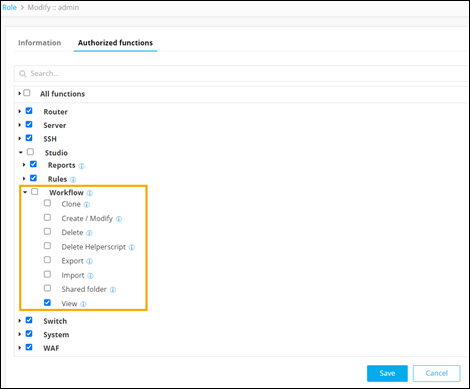
- Under Authorized functions, select Request > Workflow.
-
Under Workflow, only select the View
checkbox.
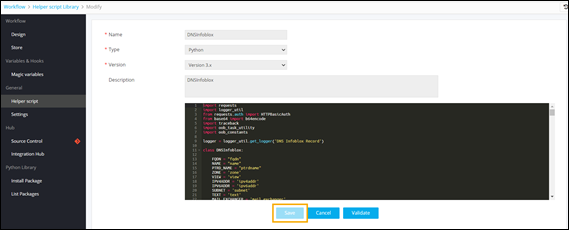
On the Helper Script Library Modify page, the script editor and Save button are disabled.