Viewing workflow details
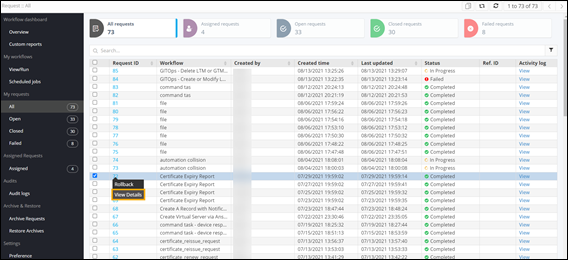
- On the Request :: All page, right-click a workflow Request ID to see options.
-
From the options displayed, select View
Details.
Note: For more information, refer to the section on Tooltip data configuration.