Configuring Workflow - Styles
-
For more options to customize the Workflow
widget, in the Service catalog window, click
Styles.
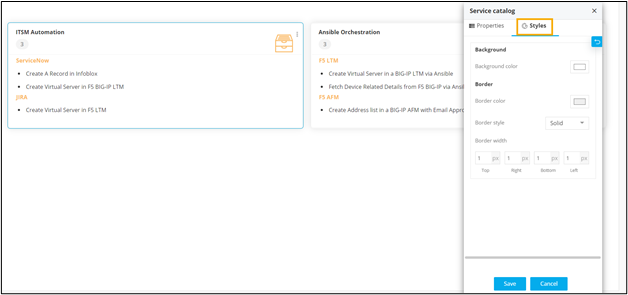
The following table describes the options available under the Styles tab:Option Description Background Allows you to set the background color of the workflow widget. Border Allows you to define the - Border color - Set the color of the Workflow widget’s border.
- Border style - Set the border style for the Workflow widget from the options available in the dropdown.
- Border width - Set the thickness of the Workflow widget’s border.
-
To trigger or schedule workflows from your page, click Preview.
A preview of the page opens in a new tab.

-
To trigger a workflow click
 .
.
-
To schedule a workflow, click
 .
Note: For more information on workflows, refer to the Visual Workflow User Guide.
.
Note: For more information on workflows, refer to the Visual Workflow User Guide.