How to Build a Custom Dashboard
-
On the Dashboard inventory page, from the top right
corner of the screen, click
 in the command bar.
The Create dashboard/widget popup window is displayed.
in the command bar.
The Create dashboard/widget popup window is displayed.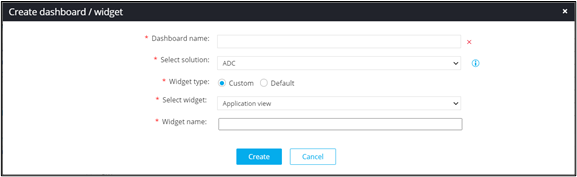
-
Enter or select the field information.
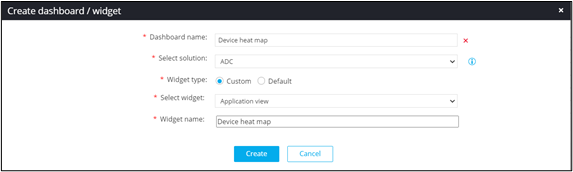
The following table describes the field description to create a custom dashboard:Field Description *Dashboard name Enter the name of the dashboard. *Select solution ADC is the default selection. *Widget type Select the type of widget. The possible widget types are: - Custom: Choose this option to build a customized widget.
- Default: Choose this option to select the default widget.
*Select widget Select an appropriate widget from the customized widgets in the dropdown list. *Widget name Enter the name of the widget. The asterisk (*) symbol indicates mandatory fields. - Click Create.