How to View a Dashboard
-
From the top left corner of the screen, click
 .
.
-
From the menu displayed, click Dashboard.
The last opened or pinned Dashboard is displayed.
-
To view the Dashboard inventory, form the top right
corner of the screen, click
 .
The Dashboard inventory page is displayed.
.
The Dashboard inventory page is displayed.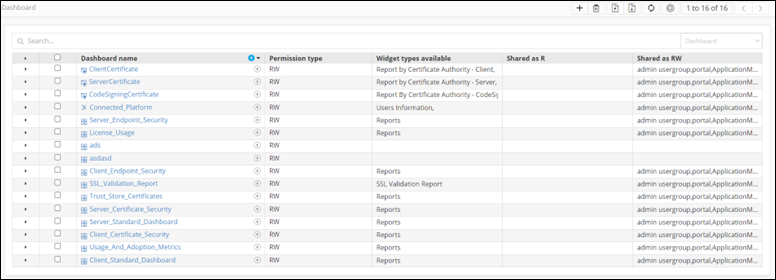
-
Click on any Dashboard name. For example: Connected Platform.
The selected dashboard is displayed on the screen.
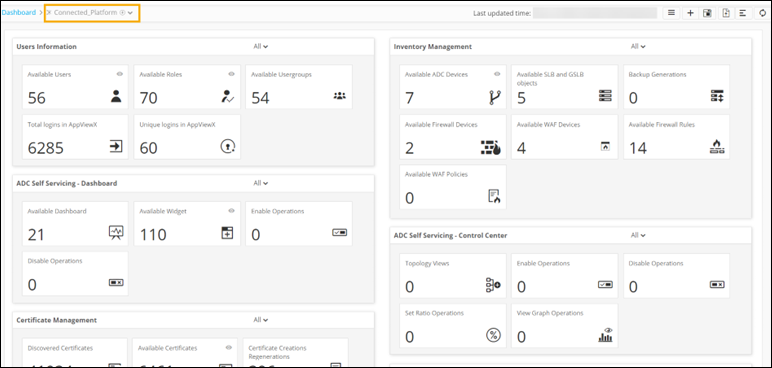 The following table describes the options available on the Dashboard page:
Options Description Dashboard name Displays the name of the current dashboard. Allows you to navigate to the Dashboard inventory. 
Allows you to create a dashboard/widget. 
Allows you to save the changes to the widget. 
Allows you to download the entire dashboard as a PDF. 
Allows you to schedule and email reports from the dashboard. 
Allows you to align the widgets on the dashboard. 
Refreshes the dashboard.