Import a Rollback Workflow
To import a workflow as a rollback workflow:
-
Click
 and select
Studio > Workflow.
The Workflow screen appears.
and select
Studio > Workflow.
The Workflow screen appears. - Create a new workflow or select an existing workflow to which you want to add a subflow.
- Click the Rollback tab on the screen that appears.
-
Click
 and click
Import on the screen that appears.
The Import flows screen appears.
and click
Import on the screen that appears.
The Import flows screen appears. - From the Workflows dropdown list, select the required workflow.
- Click Fetch workflows.A list of all the workflows is displayed.
-
Select the workflows that must be imported as rollback workflows.
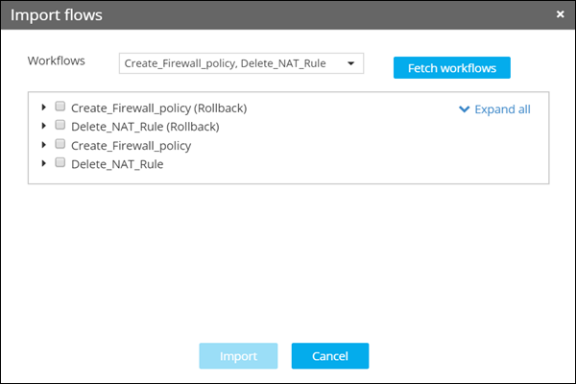
- Click Import to add the selected workflows to the Rollback tab.
- Drag and drop the rollback workflow to the workspace and link it with the main workflow as required.