Configuring the Layout component
-
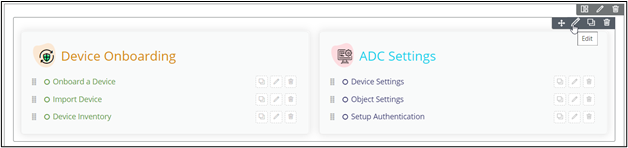
To configure/edit the Layout component, hover your mouse over the widget and
click
 .
. 
The Row pop-up window opens with the Styles tab.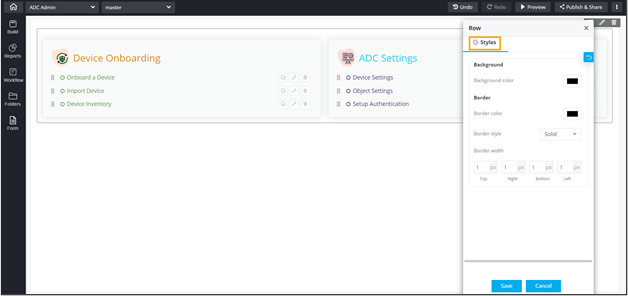 The following table describes the options available under the Styles tab:
Option Description Background Allows you to define the Background color for the Layout widget. Border Allows you to define the
- Border color - Select the color of the layout border.
- Border style - Select the border style for the layout section from the options available in the dropdown.
- Border width - Select the thickness of the layout border.
-
To save your settings, click Save.

-
To restore the settings under Styles to default, click
 .
.