Form
The form can either be used out of the box from the inventory for quick self-servicing or customized based on your requirements.
To access forms:
The Form component can be accessed from the component
panel on the left.
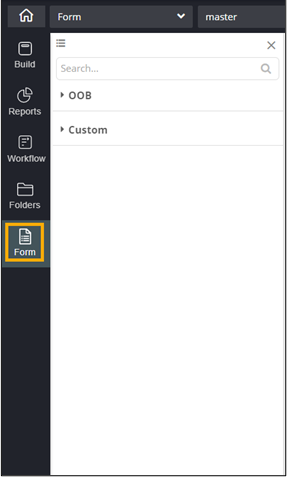
This table describes the options available in this section:
| Option | Description |
|---|---|
 |
Allows you to switch between a list view and grid view of the forms. |
| Search | Allows you to search for a specific OOB or custom form. |
| OOB | This folder contains a set of prebuilt out of the box (OOB) forms that you can add to your page for quick self-servicing. The OOB forms can also be customized and saved in the custom folder for later use. |
| Custom | This folder contains forms created either from scratch or OOB forms that have been customized. Saving forms in the custom folder enables you to reuse them at a later date. |