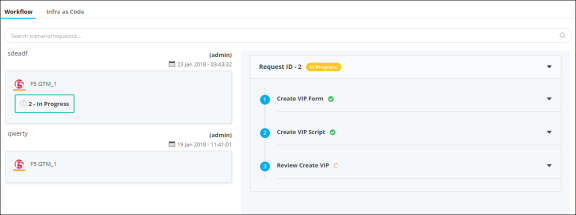
Workflow
-
Click
 and select AppVision >
Application.
The Application screen opens with the Inframap tab selected by default.
and select AppVision >
Application.
The Application screen opens with the Inframap tab selected by default. - If you want to view the deployment history of a Blueprint, select the application from the Blueprint tab and do the following.
- Open the application whose history you want to review.
-
On the workspace that opens, click the Provision dropdown menu and
select
 in the Command bar.
The deployment history screen opens with the Workflow tab selected by default. A summary of scenario-based deployments, requests, and logs for each Inframap is displayed.
in the Command bar.
The deployment history screen opens with the Workflow tab selected by default. A summary of scenario-based deployments, requests, and logs for each Inframap is displayed. -
Click
 to view the details of each task.