Saving a widget in Folders
To save a widget to a folder:
-
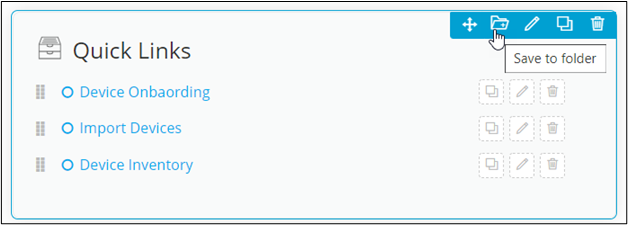
From the top right corner of the widget to be saved, click
 .
. 
-
In the Save to Folder window, enter or select the field
information.
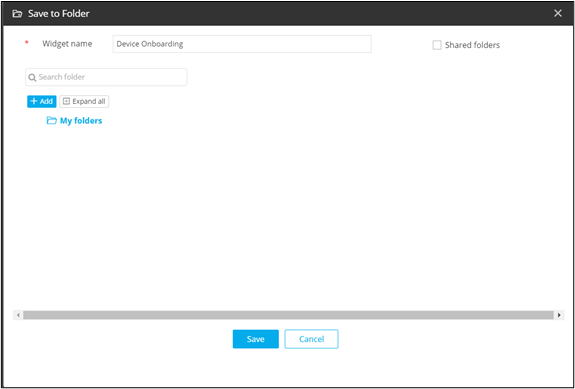
This table describes the fields in the Save to Folder window:Field Description *Widget name Enter a suitable widget name. Search bar Allows users to search for a particular folder. Add Allows users to add new folders and sub-folders. Expand All Allows users to expand and collapse folders. My folders Shows subfolders within My folders. Shared folders Allows users to save a widget in a shared folder. Note: The asterisk (*) symbol indicates mandatory fields.