Configuring the Search Widget - Properties
-
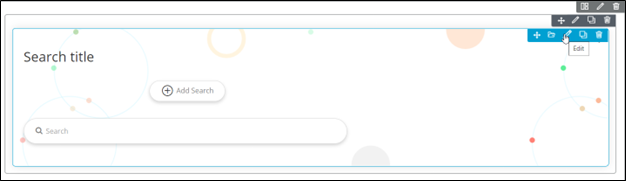
To configure/edit the Search Widget component, hover your mouse over
the widget and click
 .
. 
Tip: To configure/edit the Search Widget component, you can also click Add Search in the Search widget.The Search widget window opens with the Properties tab open by default.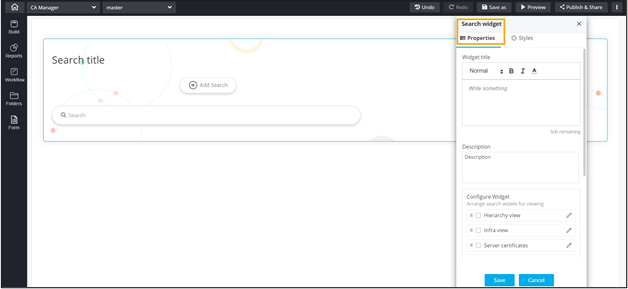
-
In the Search widget window, under
Properties, enter or select the required field
information.
The following table describes the various fields in this tab:
Field Description Widget title Provide a suitable title for the Search widget. Note: You have the option to set the font size, color, and thickness in the Widget title editor box.Description Allows you to add a Description for the search widget. Configure Widget Select the search parameters that would appear in the search widget by checking the box. Note: You have the option to edit the search widgets, add descriptions and tooltips by clicking . For
more information, click here.
. For
more information, click here.Widget Layout Choose a widget layout from the available options. - Click Save.