Editing a search widget
-
In the Search widget window, under
Properties, click
 next to the widget to be
edited.
next to the widget to be
edited. 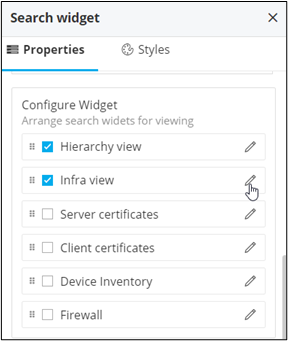
-
Enter all the field information.
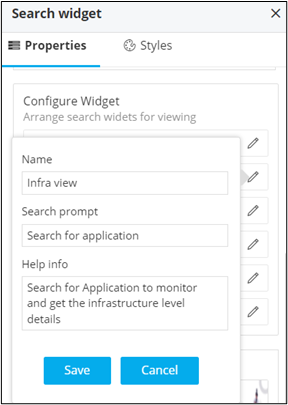
The following table describes the field information:Field Description Name Allows you to change the name of the search widget. Search prompt Allow you to add a search prompt in the search bar when a particular search widget is selected. Help info Allows you to add a help text to the search widget. -
Click Save.
The search prompt and help info is updated in the search widget.
 Note: You can also edit the search widget, by hovering your mouse over the search widget and clicking.