Log Forwarding
-
Click
 and select
Settings > General > Log Forwarding.
and select
Settings > General > Log Forwarding.
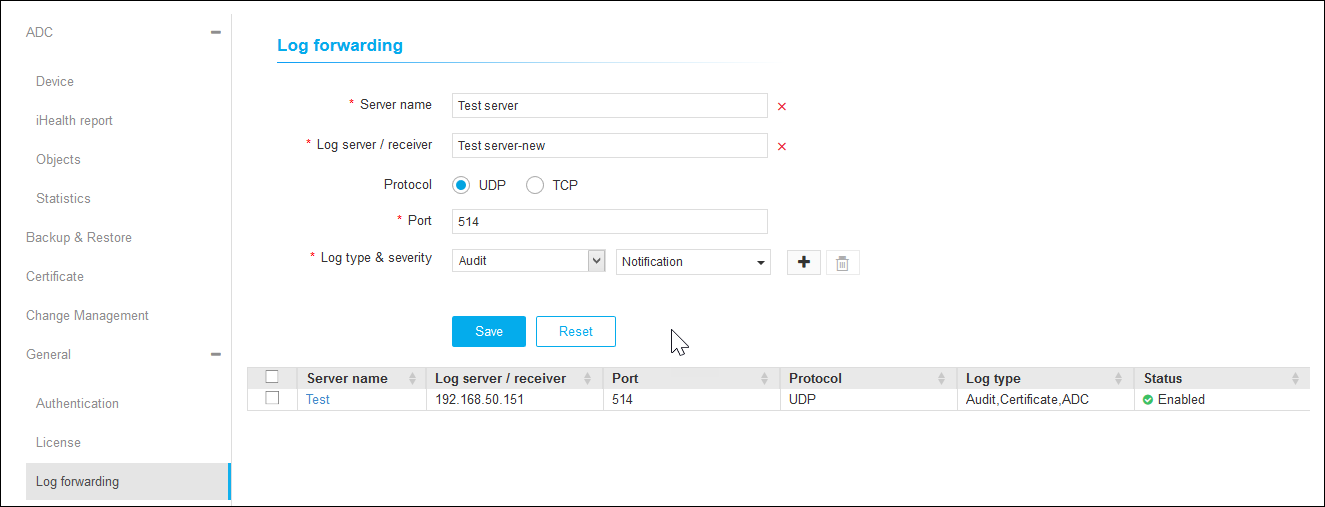
- On the Log Forwarding details page, enter the Server Name and Log Server/Receiver.
- Choose the UDP or TCP protocol.
- Enter the Port number.
-
Select the Log Type and Severity from the respective drop-down.
To add multiple entries, click
 .
. - Click Save to save the details or click Reset to reset the settings.
-
To delete, enable, and disable Log Forwarding, select the settings from the list
view and click the respective icon on the top right.