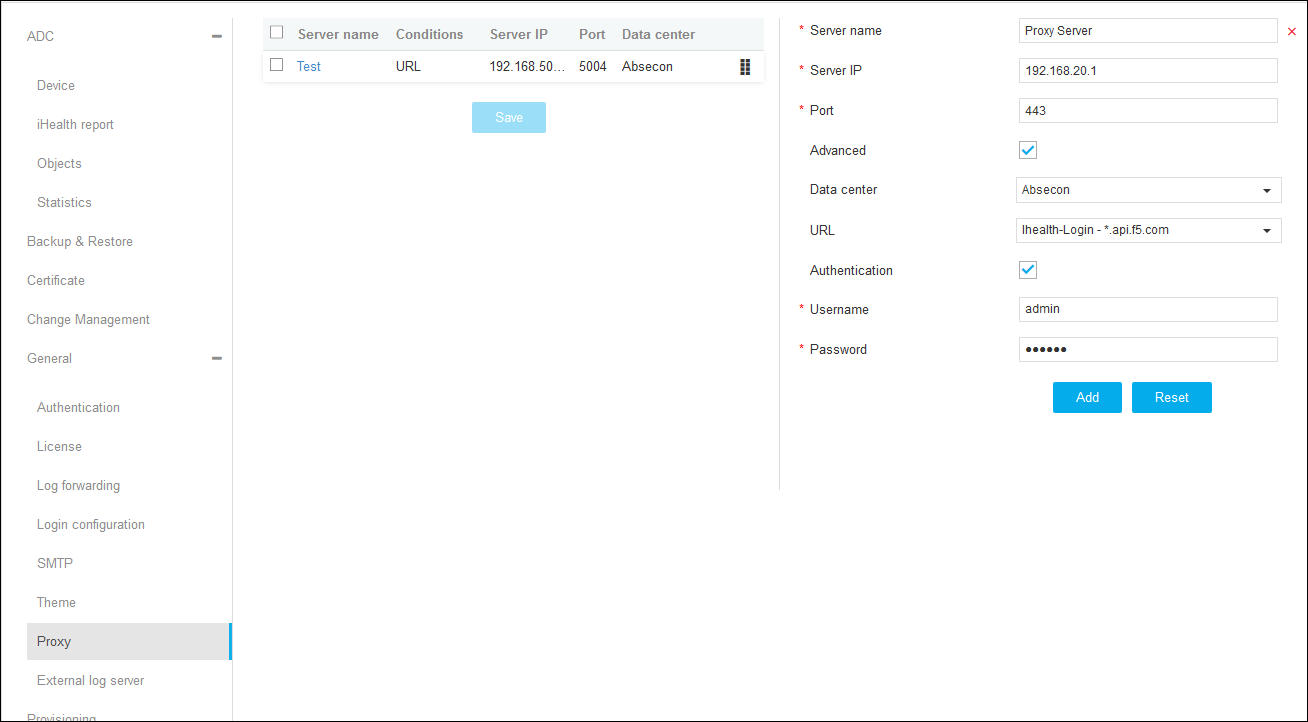
Proxy
-
Click
 and select
Settings > General > Proxy.
and select
Settings > General > Proxy.
- On the Proxy details page, enter the Server Name, Server IP, and Port number.
- Enable the Advanced checkbox.
- Select the Data Center and the URL from the respective dropdown.
- Enable the Authentication checkbox if required.
- Click Add. Added proxy settings will be displayed on the left.
-
To delete proxy settings, select a setting and click
 on the top right.