Jump to main content
Login Configuration
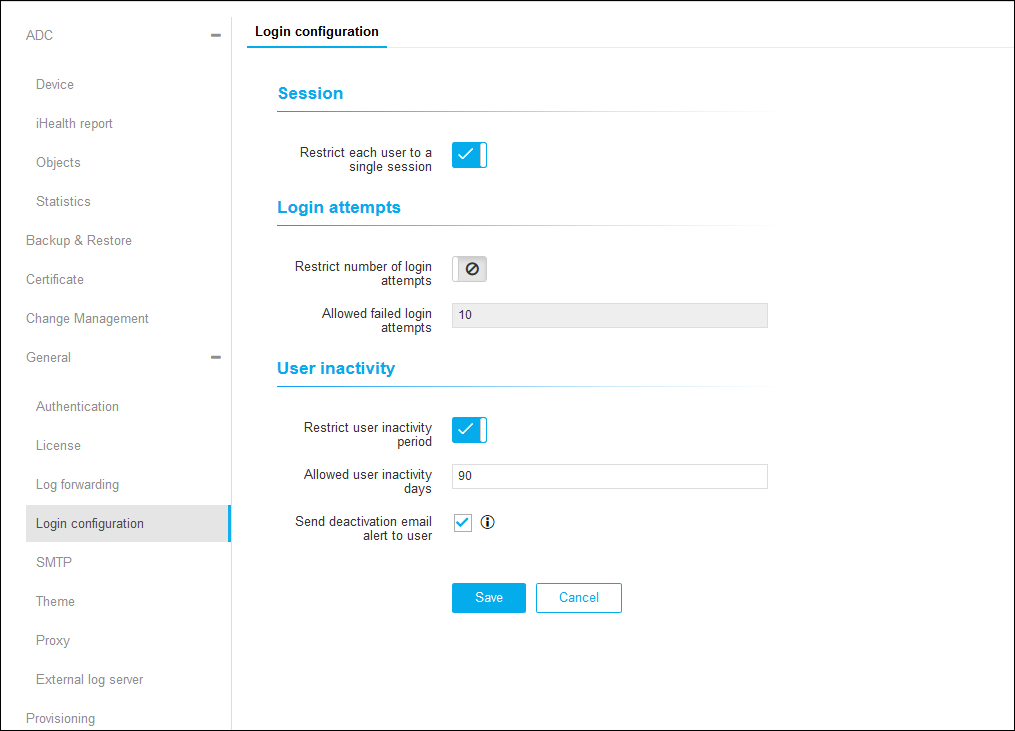
To configure login details:-
Click
 and select
Settings > General > Login Configuration.
and select
Settings > General > Login Configuration.
-
On the Login Configuration details page, under Session, click
 to enable Restrict each User to a Single
Session.
to enable Restrict each User to a Single
Session.
-
Under Login Attempts, click to enable Restrict Number of Login Attempts.
-
Enter a value for Allowed Failed Login Attempts.
-
Under User Inactivity, click to enable Restrict User Inactivity Period.
-
Enter the Allowed User Inactivity Days.
-
Click the checkbox to enable Send Deactivation Email Alert to User.
-
Click Save.