Theme
To configure theme settings, navigate to Menu > Settings >
General > Theme.
Logo
-
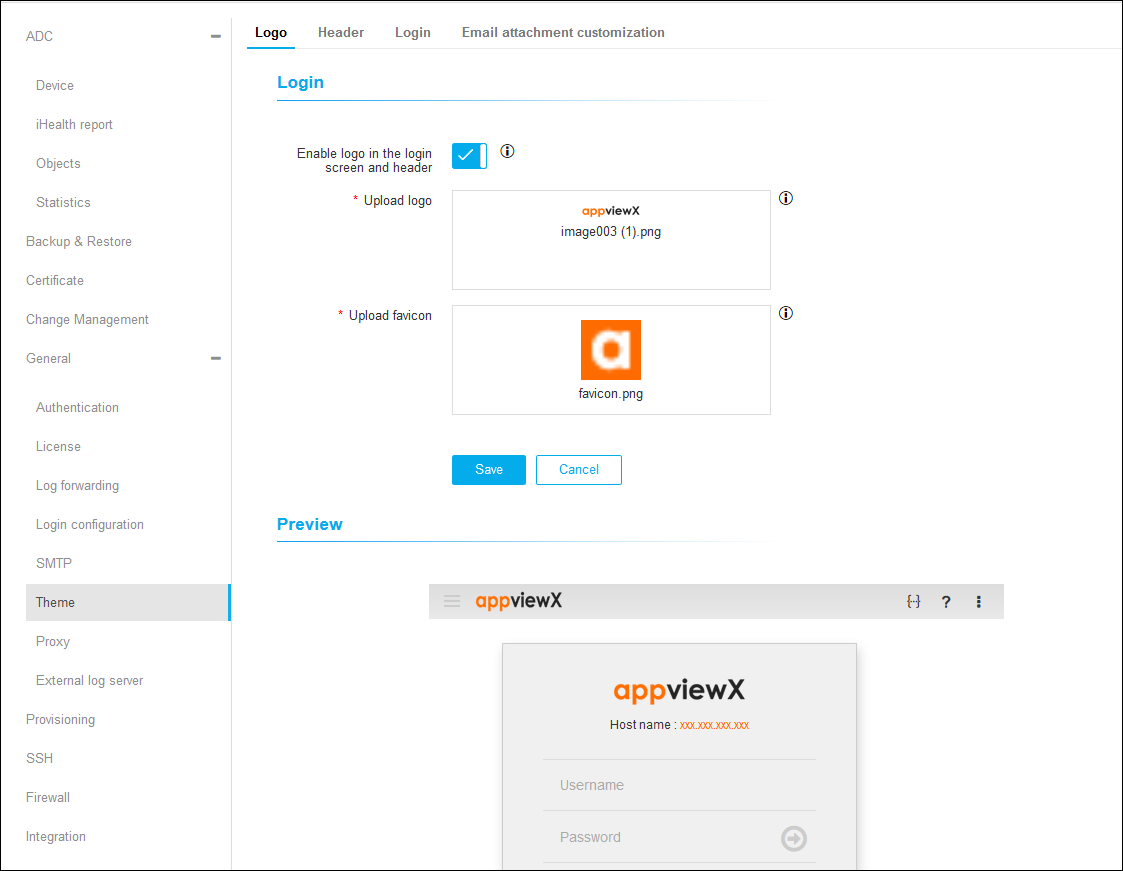
The Logo tab is selected by default or click Logo on the top.
-
Under Login, click
 to
Enable Logo in the Login Screen and Header.
to
Enable Logo in the Login Screen and Header.
-
In the Upload Logo section, choose an image to set the logo.
-
In the Upload Favicon section, choose an image to set the favicon.
-
Click Save.
-
Under Preview, you can view the uploaded logo and the favicon.
Login
-
Click Login on the top.
-
Under Login Credentials Entry Pane, enter the background color and font
color.
-
Under Banner Image, click to Enable Banner Image in Login
Screen.
-
In the Upload Image section, choose an image to set as a banner image.
-
Click Save.
-
Under Preview, you can view the login page.
Email Attachment Customization
-
Click Email Attachment Customization on the top.
-
Under PDF, browse to choose a logo image.
-
Enter the Document Title and Footer.
-
Under CSV, enter the Attachment File Size Limit.
-
Click Save.