Adding an Internal Action Widget Link
- To link an internal AppviewX page to the action widget, under Add links, click Internal.
-
Select the required internal link from the list.
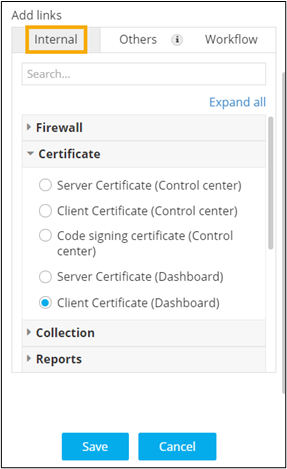
-
Click Save.
Clicking on the button will redirect to the selected link in a new tab.
- For more options to customize the Action widget, click here.