Adding a Workflow Quicklink
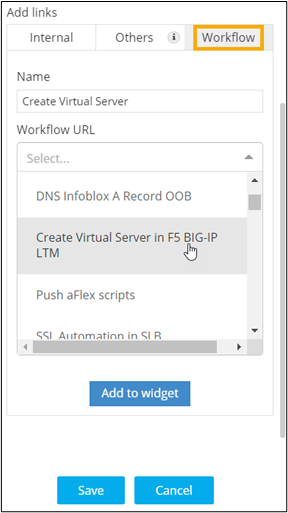
- To add a link to redirect to the Workflow Request execution page for the selected workflow, under Add links, click Workflow.
-
Enter the link Name and select the Workflow
URL from the dropdown.
-
To add this workflow URL to the Quick Links widget, click Add to
Widget.
Clicking on the quick link will redirect to the workflow request execution page of the selected workflow.
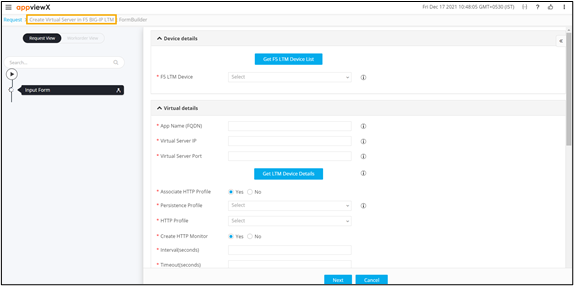
- Once you have added the required workflow URLs to the widget, click Save.
- For more options to customize the widget, click here.