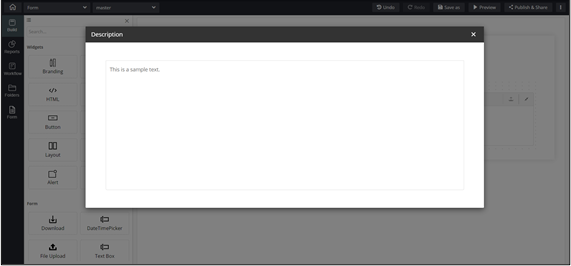
|
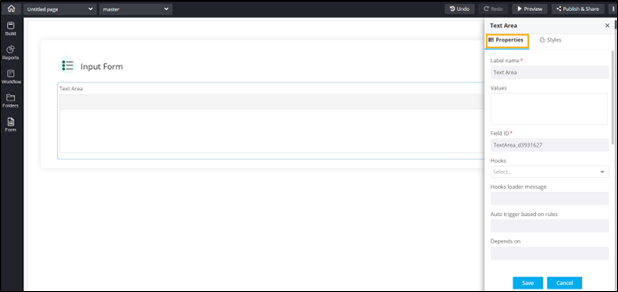
Label name
|
Enter a valid Label name for the
form field. For example, Select Date and Time. |
| Values |
Allows you to define field Values relevant to a
form field.
- Values can be delimited by a comma.
- Characters not allowed: ‘&’ and
‘|’
|
| Field ID |
Allows you to assign a unique Field
ID to refer to the field name.
- Allowed characters: ‘-‘ and ‘_’
- Character Length: Min (1), Max (50)
|
|
Hooks
|
Allows you to assign an appropriate hook for this field.
For example, a hook to fetch the current date.
- Select a hook that is relevant to the form
field.
- Hooks can be either Script or REST API.
- Hooks are used to fetch details against a specific
form field from the device and/or database and map
them to the respective field on the user
interface.
Note: For more information on
Assigning Hooks to Form Fields, click here. |
|
Depends on
|
Allows you to define dependencies between form
fields based on ‘Field ID’ and ‘Values’.
- Operators used: ‘&’ and ‘|’
- Max character: 550
- Format: [Field Id1: value1 & Field Id2: value1
& Field Id3: value3], [Field Id1: value1 | Field
Id2: value1]
|
| Validation |
Allows you to select or define a custom regex pattern
against the specific form field.
- Select from the predefined regex patterns defined in
the regex inventory.
- Validation ensures that you capture the right
information while creating the request.
|
| Parent ID |
Allows you to assign a Parent ID
for fields in a table.
- Select the relevant tabular component (Field ID)
against which the form field must be mapped to.
Note: This is used only when
defining a tabular element in the form. |
| Help |
Allows you to add Help
text/tooltip for the field. |
| Profile Access |
Allows you to select the profile from the dropdown to
restrict form field display within a template based on the
relevant profile. |
| Mandatory |
Allows you to define this field as
Mandatory or otherwise. If marked
as mandatory, an asterisk (*) is displayed next to the field
name in the form. |
| Read only |
Allows you to define this field as Read Only
or otherwise. If marked as Read Only, a red
crossed circle is displayed when you hover your mouse over
the read only field and does not allow you to enter any
information. |
| Global variable |
Allows you to define this field as a Global
Variable. |
| Hidden |
Allows you to hide the field in the form. |
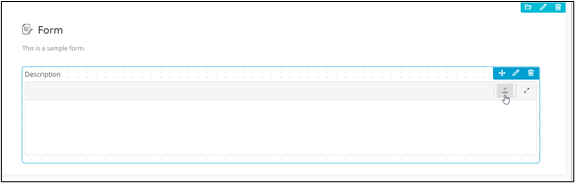
| File upload |
Allows you to add a File upload
icon  in the
Text Area. in the
Text Area. |
 .
. 
 .
.