Compare ADC Objects
- Comparisons are only possible for F5 ADC objects.
- Comparisons are also possible for multiple objects.
- You can select up to 5 devices to compare with the original device you selected.
To compare ADC devices from the Control center results within the Control Center:
-
Click
 and select Control
Center.
and select Control
Center.
-
Run a search.
By default, the search results are displayed in the Application view page.
-
Click
 beside each object
in the list that you want to use in the comparison.
beside each object
in the list that you want to use in the comparison.
- Right-click the selected objects and click Compare config from the dropdown list that appears.
-
If you want to compare configurations for the search results displayed on the
infrastructure view, click
 to switch from the Application view search result page.
-
Select the checkboxes beside the first column of each object you want to use in the
comparison and then, navigate to Actions > Compare Config.
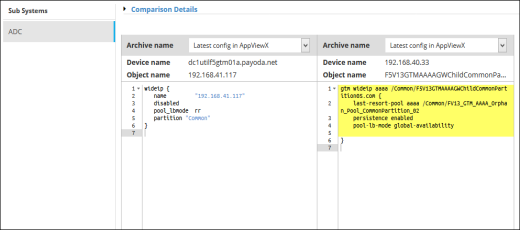
The screen refreshes and displays the archived configurations side-by-side.