Modify a WAF Policy
-
Click
 and select Control
Center.
and select Control
Center.
- Run a search.
- On the search results screen that opens, click the WAF tab.
- Right-click the policy name and select Modify from the dropdown list that appears.
- Enter a search key for
the policy you want to modify and then, click
Submit.
This will trigger the workflow and a new Request ID is created. To view the request details, refer to the Request Taskssection of this guide. The information regarding the policy you want to modify is fetched using API and the modify form for the corresponding policy will be displayed.
-
Make whatever changes you want to the policy by filling in the form fields designated
with a
 beside their
names.
beside their
names.
- Click
Submit.
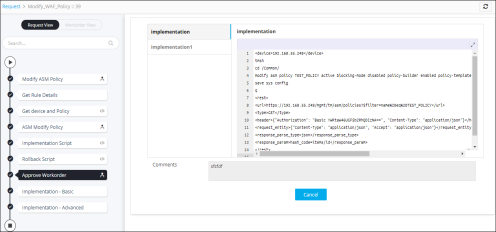
The work order tasks or phases of the corresponding request are listed in a tree-view. You can click each task to view its details. Wherever applicable, all the logs related to the selected task are displayed in the Logs pane at the bottom of the screen. After you submit the request form, the configuration changes are reviewed and approved at AppViewX.
- Enter any comments you
have related to the implementation and then, click
Implement.
The configuration commands are implemented, resulting in modifying the rule or route in the device.