View the Route Details
-
Click
 and select Control
Center
and select Control
Center
- Run a search.
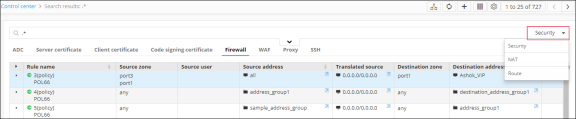
- On the search results screen that opens, click the Firewall tab.
- Select Security from the
dropdown list, if it is not already selected.
The list of all the available security rules is displayed.
-
Right-click the rule name and select View Route details from the dropdown list
that appears.
Static Routes that are created for the security rule will be displayed.
