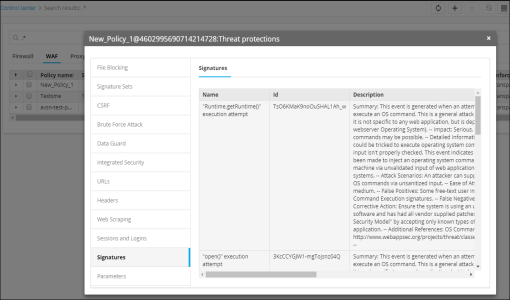
View the WAF Threat Protection Settings
- In the Control center module, run a search for the WAF whose details you want to view.
- In the search results field, locate the rule.
-
Click
 in the
Threat Protection column.
in the
Threat Protection column.
-
On the popup screen that appears, various settings of the Threat Protections parameter
are displayed in the left column.
Clicking any of the tabs on the left side of the popup screen, such as File Blocking, Signature Sets, CSRF, Brute Force Attack, Data Guard, Integrated Security, URLs, Headers, Web Scraping, Sessions and Logins, Signatures, or Parameters, causes the corresponding settings to appear on the right side of the screen.