View the Trace Route Details
-
Click
 and select Control
Center
The Control center screen opens.
and select Control
Center
The Control center screen opens. - Run a search.
- On the Search results screen that opens, click the Firewall tab.
- Right-click the rule name and select Traceroute from the dropdown list. The Traceroute screen for the respective rule opens.
-
Select the Source Address and the Destination Address from the respective
dropdown fields and then, click Go.
The Traceroute is executed and the hops between the source and destination address will be plotted in the grid space.
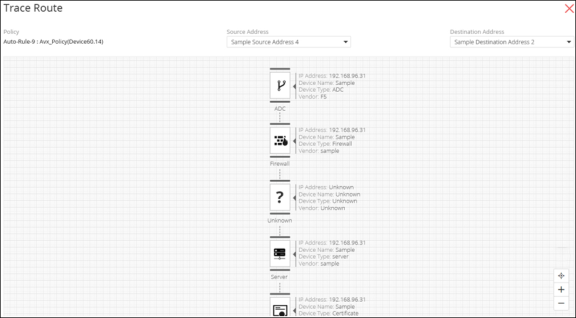
-
Click
 in the command bar
if you want to configure the number of ping responses and hidden hops you want to be
displayed in the grid space.
in the command bar
if you want to configure the number of ping responses and hidden hops you want to be
displayed in the grid space.