Configuring the Form - Properties
To customize the form properties, hover your mouse to the top right corner of
the form and click  .
.
.
The Form po-up window opens.
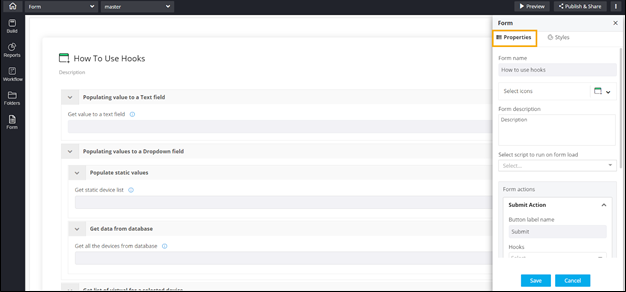
This table describes the options available under the Properties tab:
| Field | Description |
|---|---|
| Form name | Allows you to provide a valid name for the form. |
| Select Icons | Allows you to select an icon for the form from the available options in the dropdown. |
| Form Description | Allows you to create a short description for the form. |
| Select script to run on form load | Allows you to select a script from the options available in the dropdown. This script automatically fetches the values for all the fields in the form when the form loads. |
| Form Actions | Allows you to add action buttons to the form
such as Next, Save, Submit and assign hooks. Note: For more information on Form
Actions, click here. |
| Reset Action | Allows you to add a Reset button to the form. Enabling the toggle displays the Button label name field where you can provide the name for the button. |