Modifying Individual Form Fields
To edit a form field within an OOB form:
-
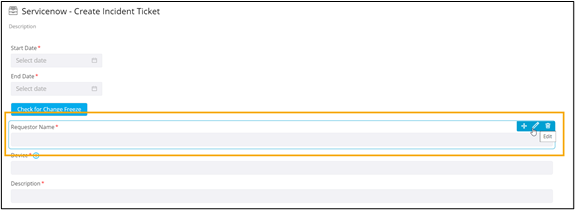
Hover your mouse over the form field you wish to modify and click
 .
. 
A pop-up window for the form field is displayed with the Properties tab open by default.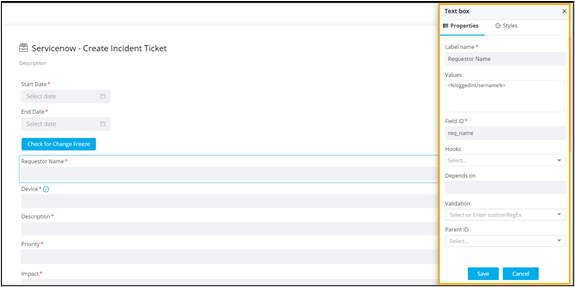
- Modify the form Properties and Style elements and click Save.