Configuring the Form - Styles
For more options to customize the Form, click Styles.
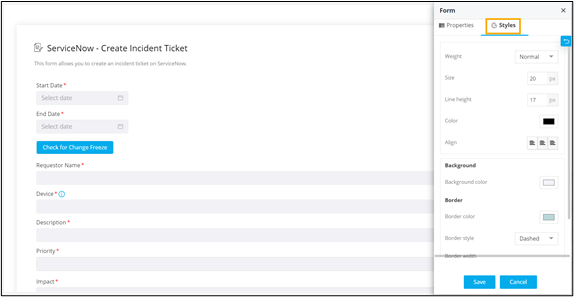
The following table describes the options available under the
Styles tab:
| Field | Description |
|---|---|
| Weight | Allows you to define the weight of the Form name. |
| Size | Allows you to define the size of the Form name. |
| Line Height | Allows you to adjust the space between the Form name, description and the form border. |
| Color | Allows you to define the color for the Form name. |
| Align | Allows you to align the Form name to the left, center or right side of the form. |
| Background | Allows you to define the background color for the form. |
| Border | Allows you to define the border color, border style, and border width. |