Add/Modify Comments
-
Click
 and select
CERT+ > Certificate Inventory.
and select
CERT+ > Certificate Inventory.
- Under Certificate Inventory, click Server, Client,Device ,orCode Signingtab depending on the type of certificate(s) you want to add/modify comments.
- On the Certificate Dashboard, click List on the top-right.
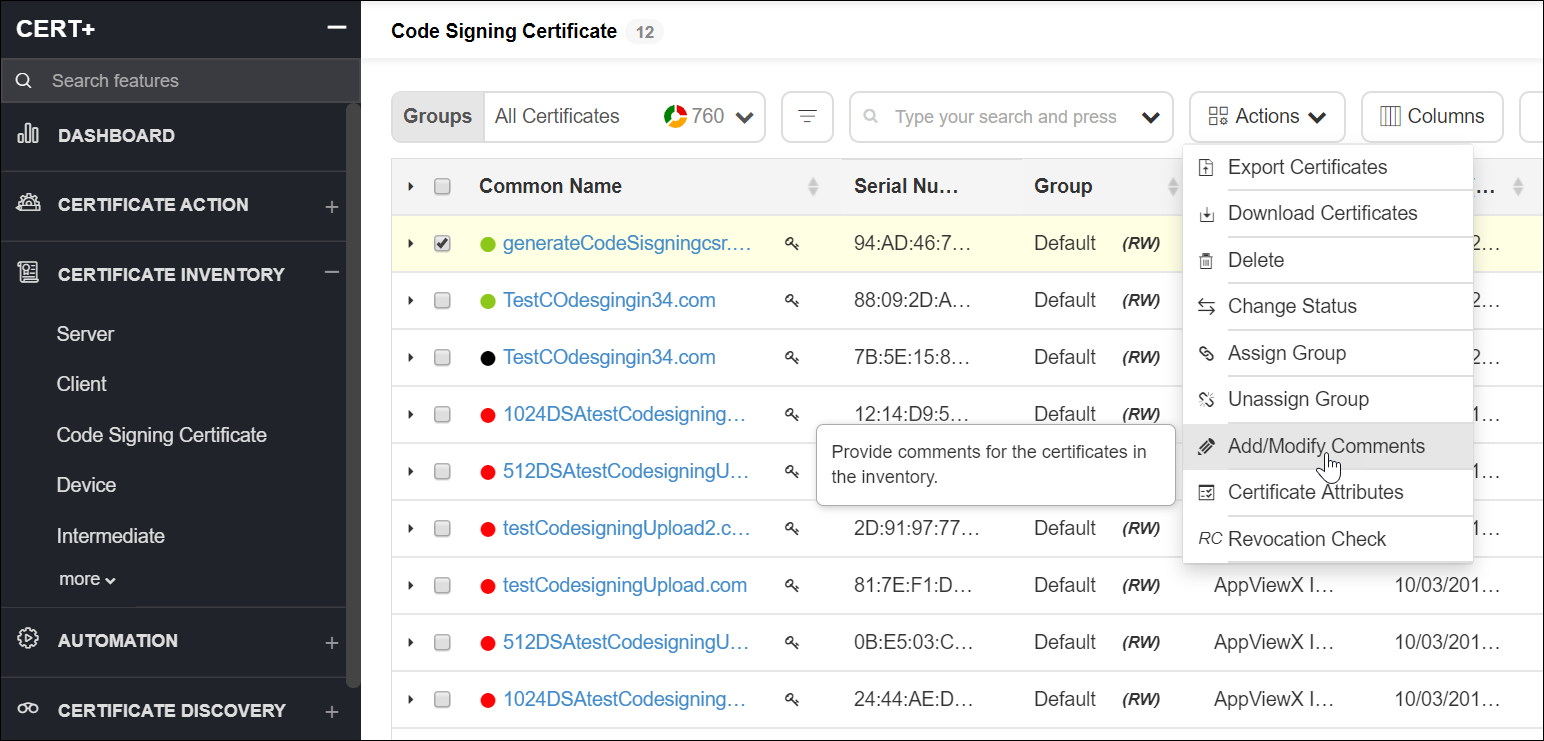
- On the certificate list view, select the certificate(s) for which you want to add/modify comments.
- Click Actions and select Add/Modify Comments option from the dropdown.
- On the Add/Modify Comments pop-up window, add a new comment or modify the existing comment.
-
Click Save.
The new/modified comment for the selected certificate is displayed on the Comments column.