Discover a Certificate: Certificate Authority
Prerequisites
To discover a certificate:
-
Click
 and select
CERT+ > Certificate Discovery.
and select
CERT+ > Certificate Discovery.
- Under Certificate Discovery, click Discovery and select Unauthenticated.
-
On the Add Discovery page, under the Discover Details section, select
On-demand or Schedule.
On selecting On-demand discovery, AppViewX will trigger the discovery certificates process for that instance.Note: You can also upload the following details to the template in the .csv, .xls, or .xlsx format.
- Enter the Discovery Name and Description in the respective fields.
-
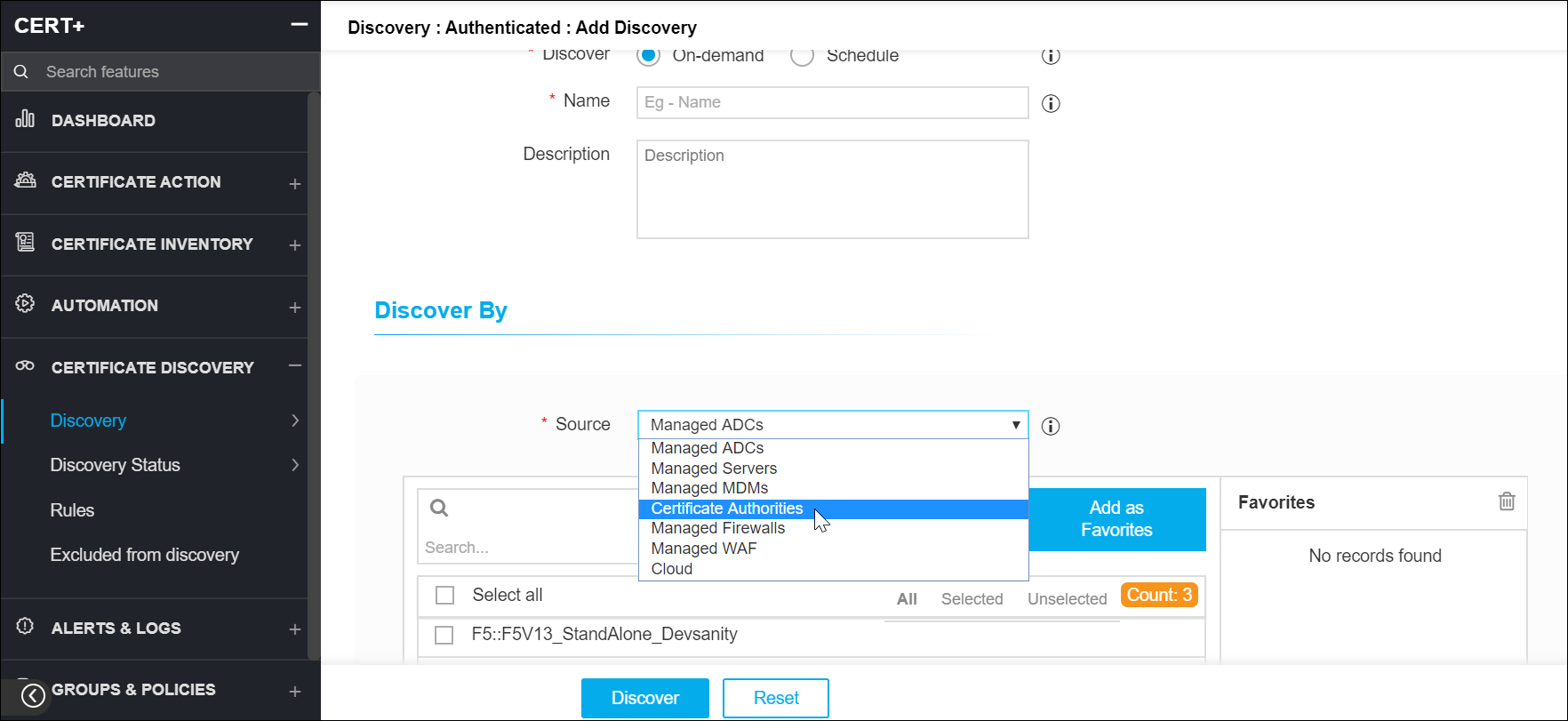
Under the Discover By section, in the Source field, select
Certificate Authorities from the dropdown.
A list of certificate authorities will be displayed in the Available Certificate Authorities field.
-
Select the Certificate Authority from which you want the certificates to be
discovered.
 Note: For EJBCA, the revoked certificates are not discovered. On discovery, the end certs are discovered based on the days configured in the CA settings, the expired certificates are always discovered. The expiry days calculate from 0 - given value, for example, 0 - 1500. On discovery, all the root and intermediate certificates that expire before 100 years will be discovered along with the end certificates by default. The discovered certificate count cannot be validated against the certificates present in the CA.