Download a Certificate Key
Note: This functionality is available only for server certificates.
To download a certificate key:
-
Click
 and select
CERT+ > Certificate Inventory.
and select
CERT+ > Certificate Inventory.
- Under Certificate Inventory, click Server.
- On the Certificate Dashboard, click List on the top-right.
- On the certificate list view, click the Common Name of the certificate to view the topology.
-
Hover over
 on
the certificate and clickDownload Key.
on
the certificate and clickDownload Key.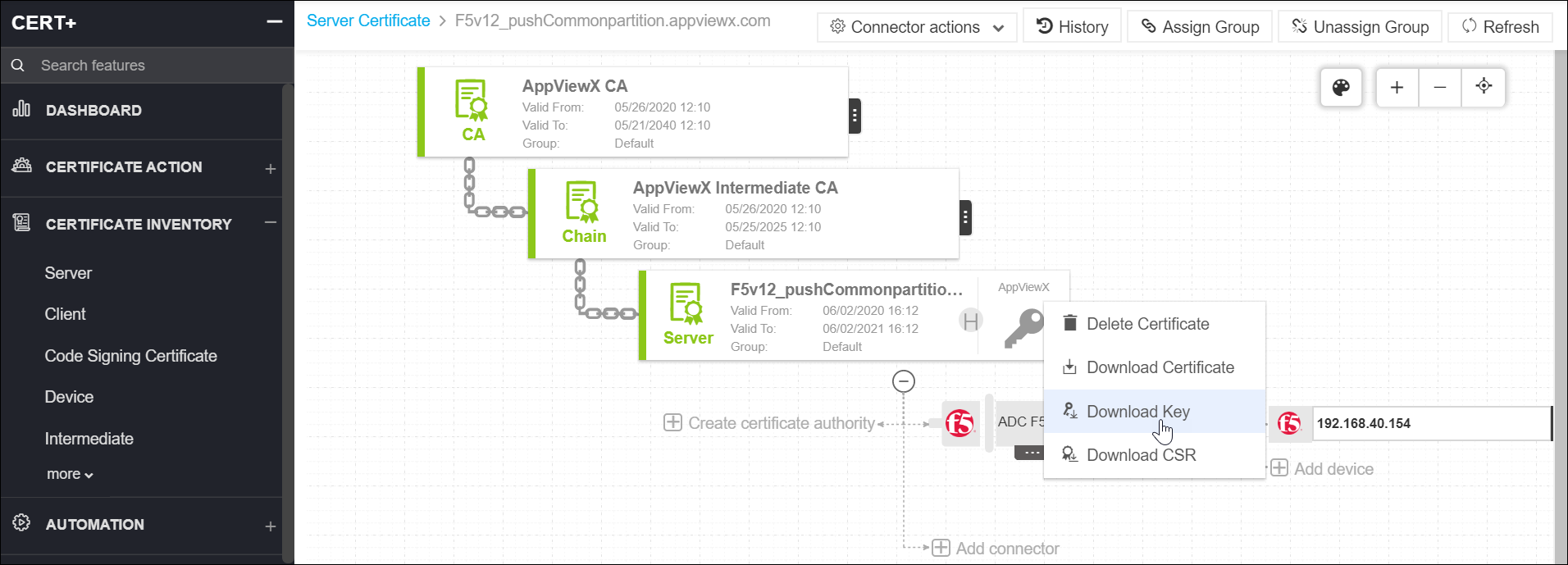
-
On the Download Key pop up window, you can enter the password, enable key
encryption, and choose between the AE256 and DES3 encryptions. Now, you can
access the certificate key (after it is downloaded).
Note: If you do not have the requisite permission to download the key, an error message appears on the top of the screen stating, Private key access restricted.