Reinstate a Certificate
Note: This option is available only for Microsoft and EJBCA certificate
authorities.
To reinstate a certificate:
-
Click
 and select
CERT+ > Certificate Inventory.
and select
CERT+ > Certificate Inventory.
- Under Certificate Inventory, click Server.
- On the Certificate Dashboard, click List on the top-right.
- On the certificate list view, click the Common Name of the certificate to view the topology.
-
Hover over
 on
the certificate and click Reinstate.
on
the certificate and click Reinstate.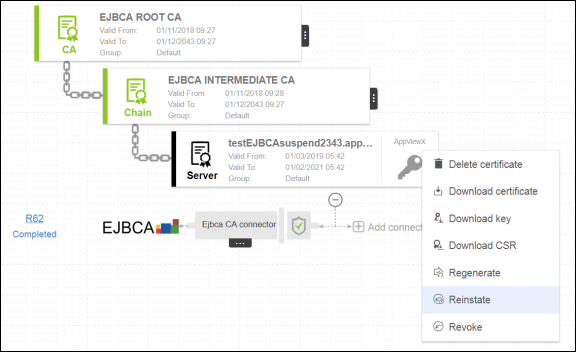
- On the Certificate reinstate pop up window, select a reason for reinstating the certificate.
- In the Comments field, enter details for reinstating the certificate.
- Click Yes.